
Digital
Business
Cards for
Travel Agents
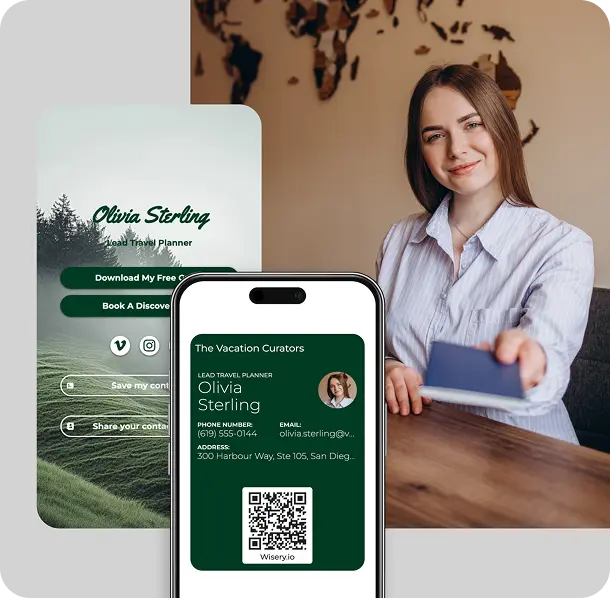
Why Travel Agents Use Digital Business Cards
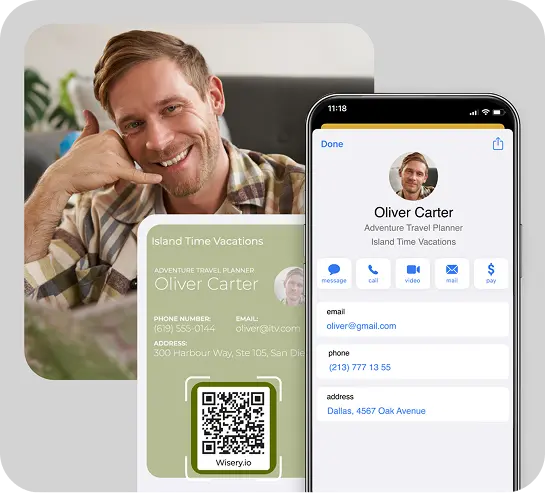
Travel clients can discover you at tourism fairs, on group tours, during business trips, through referrals and on social media. But paper cards are difficult to manage and can easily get lost. Meanwhile, a digital travel business card stays with your prospective clients on their phone.
- Always on hand. When someone saves your card to their contact list, they can find you when they plan their next adventure.
- Always up to date. Change your phone, WhatsApp, or branding in Wisery and your details update in Wallet automatically.
- Simple to save and share. A QR scan or link is all it takes. No need to download or install anything.
- More sustainable. One digital travel business card replaces repeated print runs and plastic NFC cards
What to Put on a Digital
Travel Agent Business Card
A good travel agent business card keeps the first view simple and gives clients a clear way to reach you.
On your Wallet card, include:
- Name and role (e.g. “tour guide”)
- Subheader such as “Custom Europe trips from first idea to final boarding pass”
- Travel agency name and logo
- Main contact options: phone, email, WhatsApp, website
- Location (city and country)
Smart Features to Include in Your Travel Agent Digital Card
Wisery combines your digital travel business card and personal page in one simple setup.
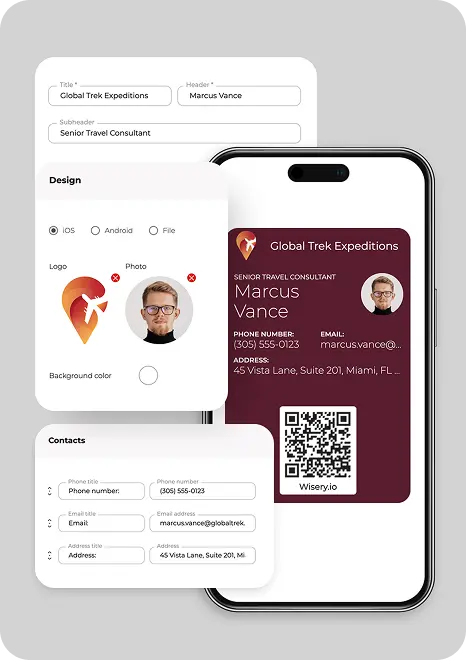
- Wallet business card. Customize your card in the Business cards tab, then use Share to add it to Apple Wallet or Google Wallet. Any edits you save in Wisery appear in Wallet without rescanning.
- Personal online page. Create a page from your dashboard, choose a template, add your profile information, and use blocks for buttons, contact details, messengers, and social icons.
- Flexible QR code options. In the QR Code section you can choose whether the QR sends people to your page or lets them add your contact details straight to their phone contacts.
- Collect contacts. Add a “Collect contacts” button to your page to capture names and emails. Submitted details appear in the Contacts tab, ready to filter and export.
- Downloadable card image. Use Download business card to save PNG or SVG files and reuse your card as a graphic in presentations, brochures or messages.
- Cards for your whole travel team. From one account you can create and duplicate cards for multiple agents, then share links so each person can save the card to their own Wallet.
Creative Tips to Make Your Travel Agent Card More Memorable
- Colors that match your brand. Choose 1-2 main brand colors and one neutral. Avoid full rainbows. This makes your card feel consistent and easy to scan.
- Readable, modern fonts. Stick to simple typography with enough size and contrast. Use one font for headings and one for body text so your card looks polished without feeling noisy.
- One strong photo. Use a single hero image that reflects the type of adventure you plan. Avoid busy collages that compete with your contact details.
- Clear tagline. Add one short line under your name that explains what you do, for example “Custom Europe trips without the planning stress” or “Family holidays and business trips planned end‑to‑end”.
- Simple structure and communication style. Keep the Wallet view clean: name, role, agency, tagline and QR. Put longer text, reviews and any map images on your page.
Where to Use Your Digital Business Card as a Travel Agent
Your digital travel industry business card works anywhere you meet potential travellers.
Travel fairs and tourism expos.
Put your QR on roll‑ups, flyers or tablets so visitors save your card instead of carrying paper stock.
Networking events and meetups.
Share your card straight from Wallet in business network settings to make a strong first impression.
Client meetings and consultations.
After each call, send your card link so clients always know where to start a booking or custom itinerary.
On the road.
Meet someone on a tour, in a hotel lobby or on a flight. Show your Wallet card or send the link before you part so they can find you later.
Social media and email.
Use your Wisery page link in your Instagram or TikTok bio, and add it to your email signature for always‑on marketing.
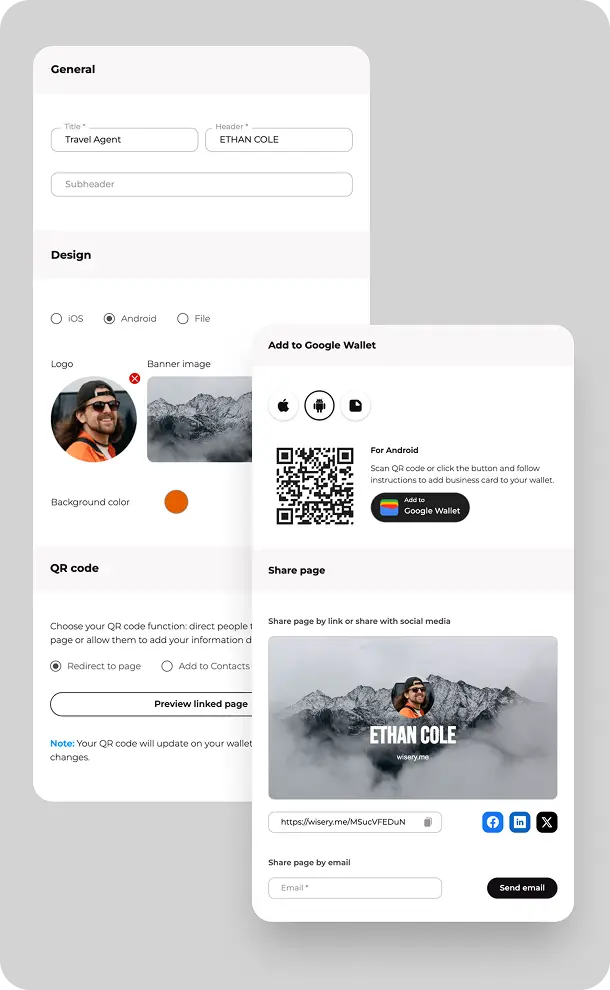
Design and Personalize Your Travel Business Card Easily with Wisery
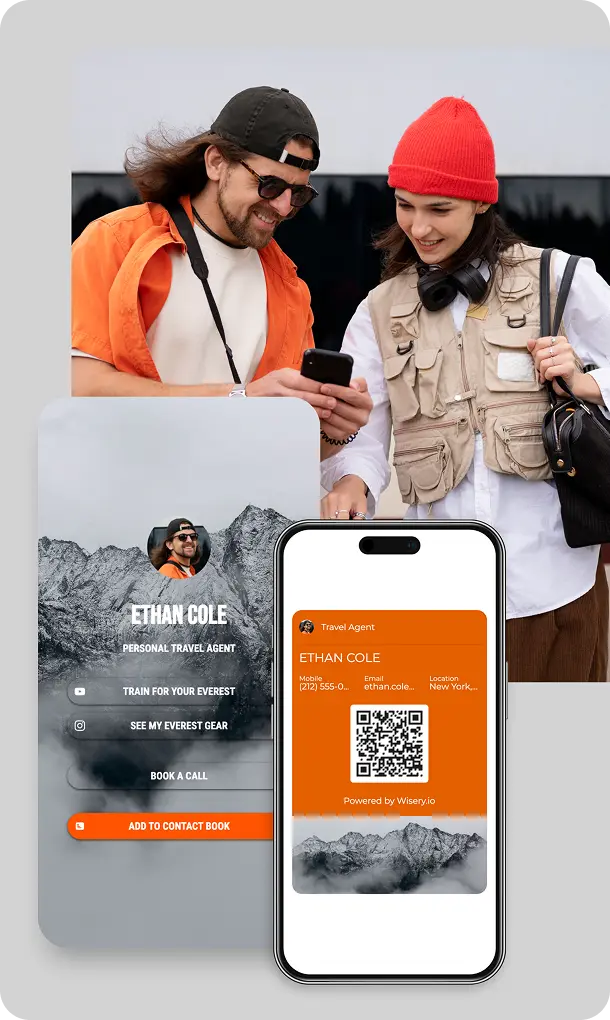
Create your own travel professional design of a digital business card with Wisery in four easy steps:
- Sign up and select a template. Go to the Business cards tab and click Create business card. Pick one of the wide variety of travel agent business card templates or start from your own idea.
- Add your travel details. In General, enter your title and header. In Design, upload your logo or photo, choose layout (iOS or Android) and set your background color.
- Add contact details and QR behaviour. In Contacts, add and arrange your contact details. In the QR Code section, choose whether your QR sends visitors to your page or lets them add your details to their contacts.
- Save and add to Wallet. Use Business card preview, click Save card, then open Share and add your card to Apple Wallet or Google Wallet with the dedicated buttons.
Design Your Perfect Digital Business Card with Wisery



Julia Ten
“I’ve tried several link in bio tools, but Wisery stands out with its versatility and ease of use. The digital business card feature is a standout, making it incredibly simple to share my contact information. Highly efficient and effective!”
Andrew K.
Vicky H.
Frequently Asked Questions
Are digital cards better than printable travel business cards for modern travel agents?
For most travel agents, yes, they are the ideal option. Printable cards can still work, but digital travel agent business cards are easier to update, cheaper over time and more convenient for clients who organise everything on their phones.
You avoid repeated print runs, reduce paper waste and make it easy for people to save your details to Wallet or contacts in seconds.
Can I add booking buttons or links to my card?
Yes. Your Wisery online business page can include buttons and links such as “Request a quote”, “Book a consultation” or “View current offers”. You choose where they lead – a booking form, calendar, website or WhatsApp, so people can move from discovering you to planning their next adventure in one tap.
Can travel agencies also use digital business cards for their teams?
Absolutely. Travel agencies can create and manage business cards for travel agent teams from a single Wisery account by duplicating cards and updating names, roles and contact details. Each team member gets a high-quality Wallet card and online page with their own destinations and tour focus, while branding stays consistent.
What’s the best design style for a travel agent business card — classic or modern?
Both styles can work. A classic travel agency business card uses softer colors, simple typography and minimal graphics, which suits agencies that focus on trust and more traditional trips. A modern look leans into stronger color accents, bolder type and a hero image that highlights the kind of adventures you plan. The important part is that the unique design you create is clear on a phone screen and consistent with the rest of your brand.