
Types of Digital Business Cards: Which One Fits You Best?
In the 21st century, digital business cards are becoming a common tool for professional communication: they help people instantly share contact details and stay connected with clients, partners, and prospects. Plus, they’re practical: data is easy to update, and the cost of printing paper business cards is significantly reduced, making them eco-friendly business cards for many teams.
But the benefits don’t stop there. They come in many forms and work in different ways: some are stored in a digital wallet on your phone, others are linked to an app you download from the App Store or Google Play, and still others “live” on a physical NFC card that people can share with a single tap. Thus, before making a choice, it is important to understand which option best suits you.
Contents:
- Overview of Digital Business Card Types
- Types by Format
- Types by Functionality
- Types by Use Case
- Types by Integration Level
- Which Type of Digital Business Card Is Best for You?
- FAQ
A digital business card is not just an alternative to a paper card, but a broad category of tools that vary in format, functionality, purpose, and level of integration with other services. This article breaks down the main types to help you figure out which ones are right for your tasks – whether you need simple contact sharing, lead capture, analytics, or a company-wide solution.
Overview of Digital Business Card Types
Online, you can find plenty of information explaining what digital business cards are and how to create them with digital business card generators. However, there is very little content about their typology. That is why we decided to explore this topic. To simplify selection, we grouped digital business cards by key characteristics, from technical implementation to core features and areas of application:
- Formats by technical basis (vCard, PDF, web-based, NFC, QR);
- Classification by functionality (static, dynamic, AI-supported);
- Categories by area of application (for events, corporate use, sales, branding);
- Levels of integration (from standalone to linked to CRM and corporate systems).
Types by Format
The principle of storing and transferring a digital card determines its format. This can be an interactive link, a QR code, an NFC tag, a vCard file, or an image. Each one has its own pros that impact user experience, offline access, and usability in different ways. Below, we consider the main options and the situations in which each works best.
URL-Based Digital Business Cards
URL-based cards are essentially web pages, and many providers let you manage them through an app. Numerous platforms boast a sleek user interface and high content flexibility. They can be distributed in several places, from social networks to calendar invitations. For example, you send a person a URL in a messenger, they click on the link and open your mobile-friendly page with all the necessary information, including a portfolio, presentations, and video messages.
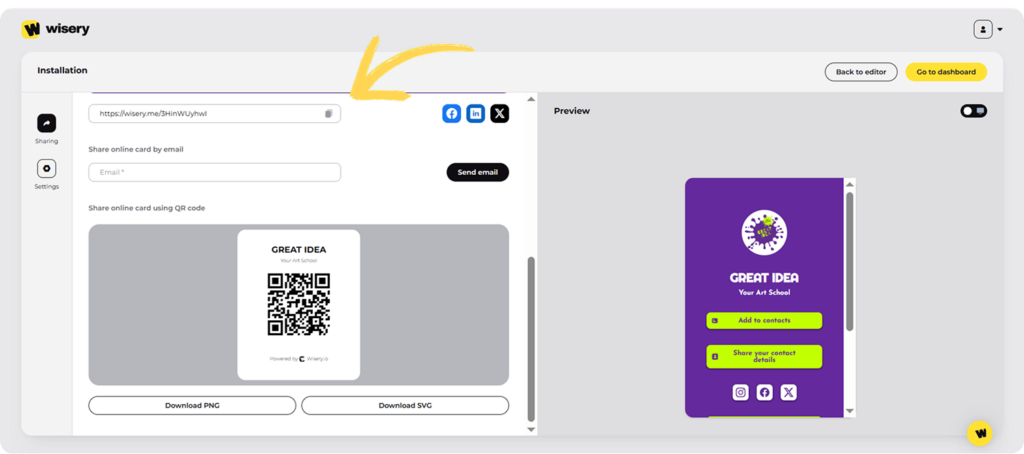
The CTA encourages them to stay in touch and reach out to you through other channels. The main advantage of using such a virtual business card is the ability to update data without changing the link. Do you often work with new clients and attend various business events? Then, URL-based digital cards are definitely your choice. They are easy to add to your social media bio, presentations, and virtual backgrounds.
UTM tags also help track where each lead came from (a post, event, or ad). They are convenient for digital networking and video calls, further highlighting their remarkable versatility. Unlike paper cards or vCard files, URL business cards allow you to visually tell your story and showcase your successes. Plus, everything is easy to edit and scale – for example, you can create a single template for the company’s employees that matches the corporate style.
QR Code Digital Business Cards
These business cards offer great convenience, with fast QR Code Sharing that lets you quickly exchange your contact details with the recipient. All you need to do is scan the code, and the person immediately views your job title, company, relevant links, and other key details. In many cases, the page also lets people save your contact and reach you via email, phone, or messaging apps. Many professionals use QR code generators to create and customize these codes in seconds.
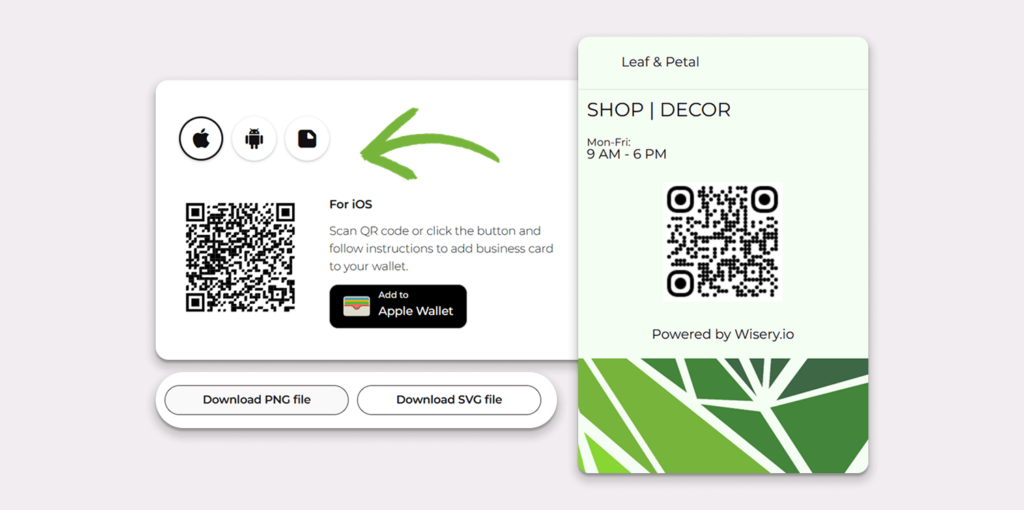
These virtual contact cards are a reliable tool for meetings, conferences, and offline events. You can add a QR code to your email signatures and place it on badges or booklets. In addition to exchanging contacts, you can track engagement and basic scan metrics if the code is linked to UTM or CRM tags.
Among the other pros are the ease of updating information, the ability to add new team members to the same company platform or shared workspace, and centralized data management. Most platforms support integration with team and customer management software. These cards typically include a link to a vCard file, a digital landing page, or options to save the card to Google Wallet or Apple Wallet. This makes it flexible across multiple platforms.
NFC Digital Business Cards
Not ready to give up physical business cards, but eager to experience the benefits of digital technologies? NFC digital business cards save you from having to make a difficult choice by offering your favorite format with additional features. It’s all about Near Field Communication (NFC) – a short-range standard based on NFC technology that enables data transfer between two devices when they’re in close proximity.
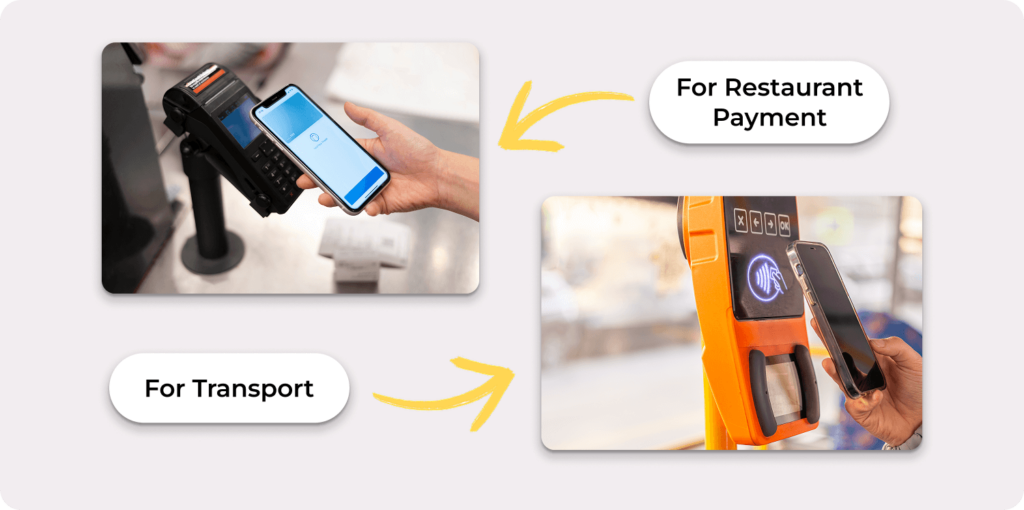
Now you don’t need to carry hundreds of physical cards, since NFC cards fit easily in a wallet or bag. Other strengths include branding options and, depending on the provider, different finishes (most commonly plastic). You can also direct traffic to social media profiles, digital landing pages, a booking calendar, and more.
vCard (.vcf) Digital Business Cards
This modern digital business card solution combines a concise yet extremely convenient way to share contact details. The .vcf file opens on most smartphones when you tap it, prompting you to import the contact. A vCard can include a full name, phone number, email, company, job title, a website link, and, in some apps, a logo. Some apps also support extra fields, such as a time zone (depending on the client).
You don’t need to download an app or special program to read a vCard. All the recipient needs is a phone: when they tap the file, it opens and prompts them to save your contact to their digital address book, including clients like Microsoft Outlook. This format is widely supported across operating systems and is generally compatible with popular email and contacts apps.
However, the exact import and display options can differ by client and device. Although a vCard doesn’t offer branded design options, it’s highly universal. This method is handy for business correspondence and mass mailings, and does not require installing additional applications. It offers a seamless, fast, and device-compatible solution for transferring contacts.
PDF or Image-Based Digital Cards
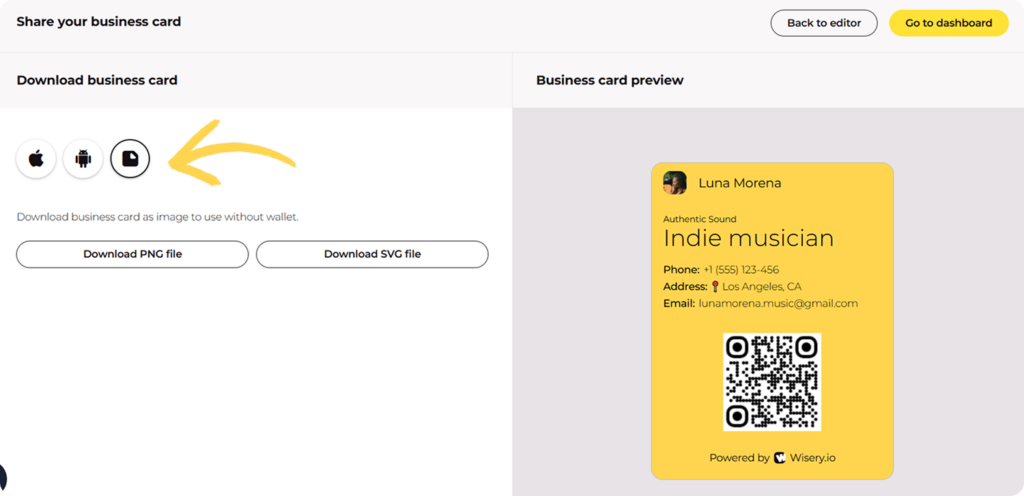
This type is one of the most common and convenient ways to share contact info virtually. An alternative to printing is to design a business card in a graphics editor, save it as a PDF, PNG, or JPEG, and send it to your contacts via email, messenger, or a website. It is also possible to share the business card from your smartphone screen.
The emphasis here is on the design process. The user has full control over the visual style, including color and font choices, logo placement, adding graphics, and more, making the layout fully customizable. You can also embed a QR code that links to the desired resource. It is not surprising that designers and other creative professionals prefer this format.
Despite the advantages mentioned above, the functionality of such business cards has limitations. There is no option for automatic data updates and synchronization with address books, so you have to make all changes manually, then recreate the file and resend it to the recipient. Nevertheless, this does not affect the popularity of this variant, thanks to its excellent visual solutions that other digital business cards lack.
With Wisery, you can take full advantage of this flexibility, choose the format you want your card to have, whether PDF, JPEG, or even ready for Google or Apple Wallet.
Types by Functionality
Beyond contact sharing and the ability to edit the necessary information without resending the link, many business digital cards offer contact collection, automation, analytics, and AI support. So next, we’ll look at three categories: static, dynamic, and AI-enhanced digital business cards.
Static Digital Business Cards
Static digital business cards keep unchangeable content such as name, position, company, phone number, email, website, and links to social networks. This data cannot be updated without sending a new version of the card. The main benefit is simplicity: they can be delivered as a PDF, image, QR code, or .vcf file and used anywhere – from email signatures to printed materials, especially when comparing different business card alternatives.
Static digital business cards work without an internet connection and additional platforms. You can use them if you don’t plan to change your key data in the near future, or if you are limiting yourself to a one-time mailing. If changes have been made, you must recreate the card and send it to the intended recipients. Therefore, such business cards are relevant for stable contacts and minimal interaction.
Dynamic Digital Business Cards
These cards are flexible, allowing users to update their contact information at any time without recreating or resending a new file. Unlike static cards, where data is “hard-coded” forever, dynamic cards work through an editable link – usually to a web page, cloud platform, or specialized service. Such business cards can be linked to a QR code or an NFC card, or sent as a regular link. You can make changes in real-time, and recipients always stay up to date.
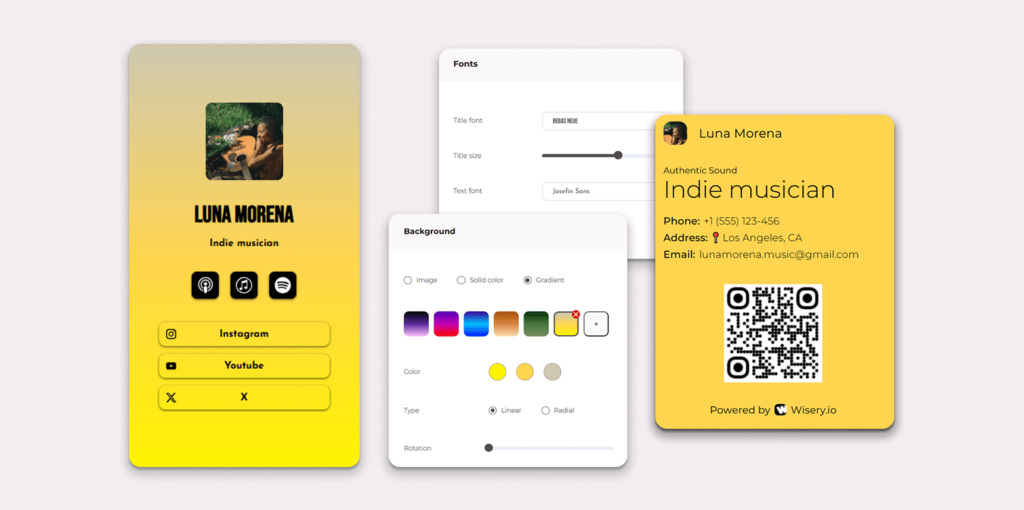
An additional benefit is the advanced features, including analytics that show who opened your business card and when. This type also includes integration with CRM systems, the ability to add feedback forms and CTA buttons, and automatic data import. Marketers and HR professionals who interact closely with their audience often choose dynamic digital business cards for their work.
AI-Enhanced Digital Business Cards
AI-enhanced digital business cards use artificial intelligence to expand the basic set of features. Traditional business cards contain only contact details, while the AI version adds intelligent processing, automation, and personalization, making information sharing even more useful for users.
They allow you to instantly adapt the information you want to exchange to the desired format. For example, if you want to fill out the “About Me” section on LinkedIn, upload your resume or describe your skills, and AI composes a compelling text that presents your experience in the best light, as well as suggests useful links and resources.
Types by Use Case
In this section, we’ll look at which digital business card formats are best suited to different scenarios – from digital networking at events to corporate use, mass emailing, or service presentations. When choosing, consider not only your own preferences but also where you plan to use the card.
Trade Show & Event Digital Business Cards
The most valued features of such business cards are fast data exchange, ease of interaction, and wide coverage. Visiting exhibitions, conferences, and other mass events involves meeting a large number of people. These cards let you instantly share contact information. They are usually set up as QR codes or NFC cards that participants can attach to their badges, stands, or smartphones.
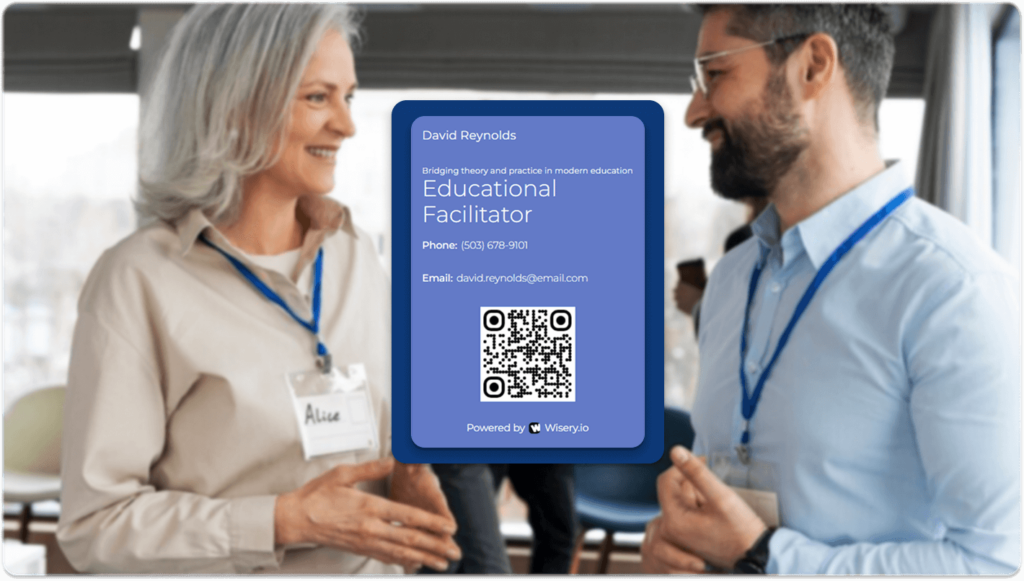
Some providers also support wallet integration, allowing attendees to save the card as a pass and open it instantly when needed. Another distinctive aspect of this format is its ease of scaling. The same card can be reused, shared with an unlimited number of people, and updated if a dynamic version is used. This format is often supplemented with built-in analytics, making the business card a full-fledged marketing tool at events.
Corporate Digital Business Cards
Companies and large corporations often use this type of business card, as it provides a uniform, professional, and branded way to exchange contact information, especially when implementing white label digital business cards for consistent brand presentation. These cards differ from personal ones chiefly in that they are developed using a consistent template with predefined fields and a single design for all staff members.
Adherence to corporate requirements is key, including the unique company logo, the established color scheme, legal data, and links to brand-specific resources. Corporate digital business cards include centralized data management. If a team member changes their position, contact number, or profile link, the administrator can automatically update the card for all that employee’s contacts via a dynamic link or the platform, often aligning with tools in Google Workspace.
Sales & Lead Generation Digital Cards
These cards are created specifically for sales and lead-capture tasks, where it is important not only to convey contact information but also to immediately integrate the business card into the business’s marketing and commercial logic. Such cards are designed so that after the first exchange, they become part of the potential customer’s path to the first contact, application, or purchase.
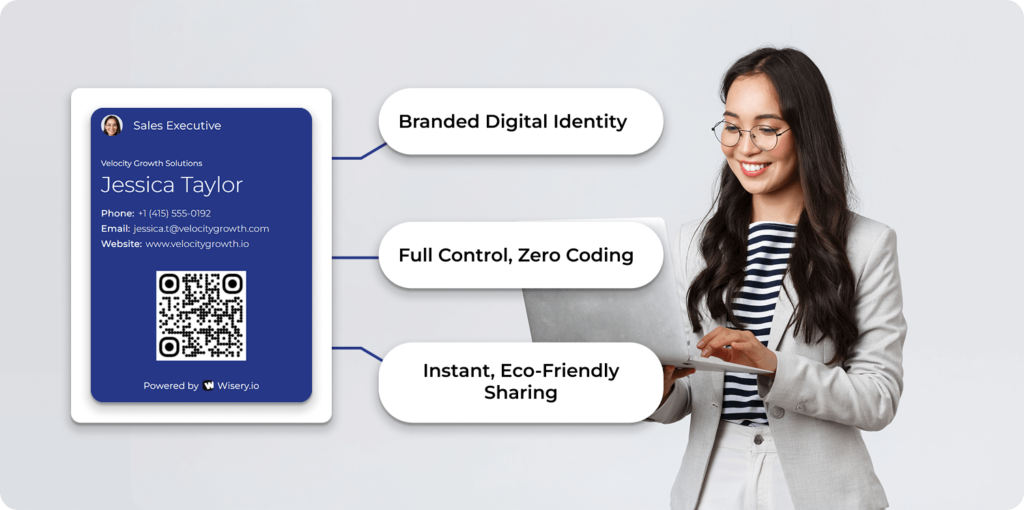
With this focus, a business card is seen as a mini-funnel. In addition to providing necessary data, it features elements that drive recipients to take action. For instance, you can add a button to register for a product demo, a link to a special offer, a form to request a quote, or an option to chat with a manager.
Another key peculiarity is the ability to monitor visitor activity. This can help to understand their level of interest, segment an audience, and plan the next steps. Many platforms can send this info directly to CRM or marketing tools, so each new contact is added to the sales process immediately.
Personal Branding Digital Cards
This format is designed to build, strengthen or personalize the individual brand. It also involves quickly exchanging contact details, but the main task is to create a professional image that can make an impression and clearly present your key business card information. Thus, in addition to standard information, the business card should also showcase your uniqueness, including a possible YouTube channel or media mentions.
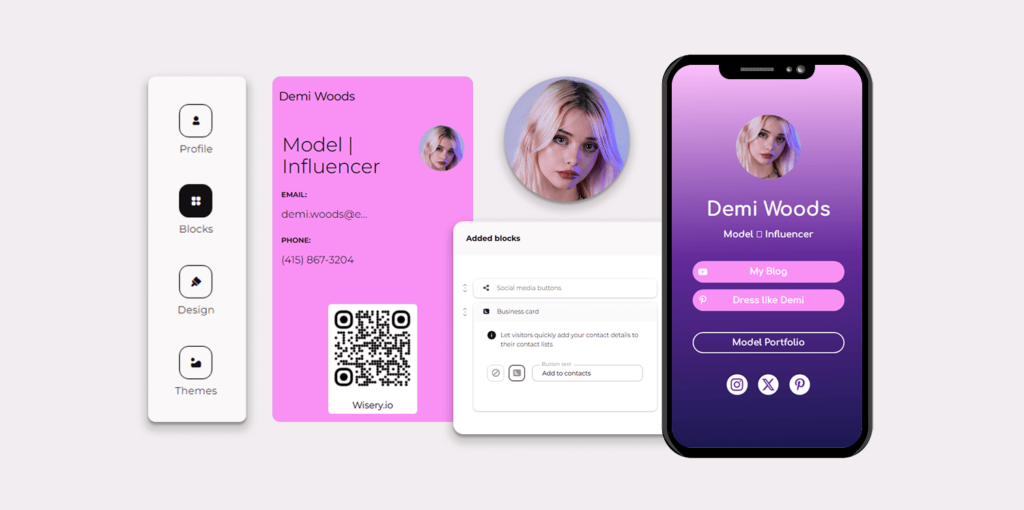
That is, people should understand why they should consider your candidacy for cooperation. It is extremely important to work on your personal style, including visual branding elements (avatar, corporate colors, and slogan). With a dynamic format, you can easily update data and add new cases, events, publications, or reviews. This keeps the personal branding business card relevant at all times.
Types by Integration Level
When considering the types of digital business cards, one cannot ignore the level of integration with other services and platforms. This aspect presents the digital business card as a tool for automation, analytics, HR processes, and sales. To choose the right variant for your needs, it is also worth considering the final typology presented in this article.
CRM-Integrated Digital Business Cards
Business cards of this type allow users to immediately send contact details to their customer relationship management system. You no longer need to manually save data from a paper business card or copy it from an email. As soon as the digital card is completed with all relevant information, it is added directly to the CRM.
Automation streamlines communication, trigger and notification configuration, and contact organization, supporting smart business workflows. This helps close deals faster and communicate more effectively. Moreover, you can use them via QR code, NFC tap, email link, or web form, and they automatically integrate with a CRM system. This turns every interaction into a tracking point, providing analytics & tracking.
Team-Managed Digital Cards
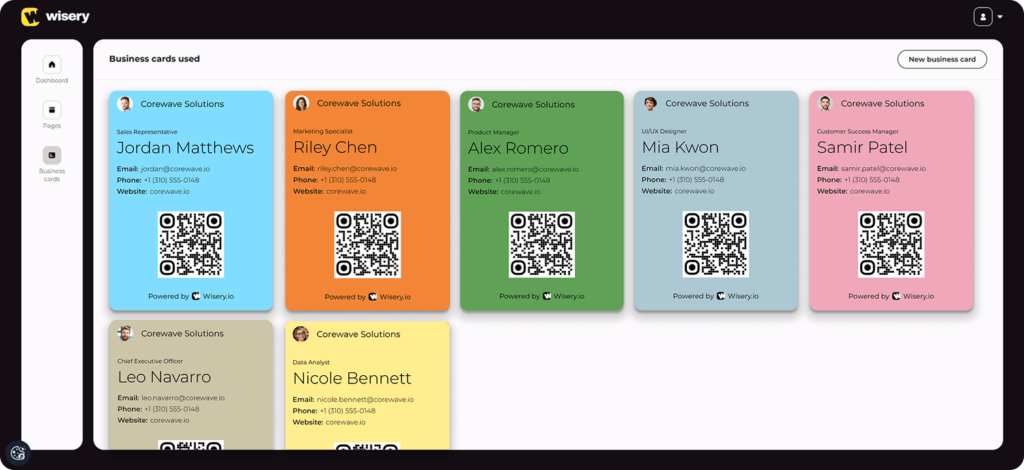
These cards are set up and operated by the administrator, marketing or HR department. In this way, it is easy to maintain consistency in the design, content, and features with the company’s brand and values. With team-managed cards, you can monitor analytics, revoke access when someone quits, edit info in one place, and make changes quickly. This is especially useful when the admin updates dozens of profiles through a drag-and-drop interface rather than editing each card manually.
Analytics-Enabled Digital Business Cards
Analytics-enabled digital business cards can track and analyse recipients’ behavior after they access the contact card. Sometimes you can even determine the device or browser used to view the card. This data is collected in a dashboard, sent via email, or stored in a CRM system.
Such cards are often available as links or QR codes that lead to a cloud resource where analytics are collected. Many providers enable integration with Google Analytics, HubSpot, Salesforce, and others. To run analytics, you typically need to register with the service and enable lead tracking.
Which Type of Digital Business Card Is Best for You?
First, consider why you need a digital business card. If you want to make an impression, choose a well-designed personal business card with links to your portfolio, presentations and other information. QR and NFC are the best business cards for events, as they offer speed and scalability. If you work in sales, cards with analytics and CRM integrations will be indispensable tools for seamless workflows.
For companies, standardized cards with centralized contact management will be the best choice. If your data changes frequently or you deal with a dynamic environment, choose flexible formats. Want to automate your funnel or track buyer interest? Use AI- or CRM-integrated business cards.
Prefer stability and simplicity? Then static files or image-based digital cards are right for you. In addition, think about your target audience. How do you plan to stay in touch with them, and what steps do you expect them to take? Answer at least the questions provided here to select a digital business card that suits your needs.
With Wisery, you can create a digital business card that actually works for you: flexible, updatable, and ready in the format you need, whether PDF, image, or Google/Apple Wallet. Make your connections easier, track engagement, and keep your information current — all in one place.
FAQ
Which digital business card format is the most versatile?
URL-based digital business cards are among the most flexible formats. They work on any device, and with their help, you can share contact information via messengers, email, or social networks. Key features include the ability to edit and add interactive features (contact buttons, portfolios, or forms). These business cards are used for both personal branding and large companies because they are easy to scale, track, and integrate with other services.
Are QR and NFC digital business cards considered different types?
Both types of business cards ensure quick contact exchange, but they differ. Scannable business cards use a phone camera, while NFC business cards transfer contact details when touched by a smartphone. QR codes can be printed or displayed on a screen, but NFC business cards require a chip and an NFC-enabled phone. QR and NFC digital business cards use dynamic links, but differ in how they work.
How do wallet-based digital business cards differ from other formats?
Digital wallet business cards are stored in Apple Wallet or Google Wallet, allowing users instant access from their lock screen. Unlike links or PDF files, you don’t need to search for them in other apps or photo galleries. They typically work offline, update automatically when users’ info is modified, and can include a QR code or link.
On some devices, they’re accessible from a paired Apple Watch, and on Android, they may also appear inside the Google Pay app. It is the best choice for professionals who prioritize speed and convenience in their business. However, such cards offer fewer customization options and are less versatile than URL or NFC-based variants.
Which digital business card types work both online and offline?
NFC cards can work offline when the tag contains a contact record (vCard); if it redirects to a web page, an internet connection is required. PDF- and image-based digital business cards also don’t require an internet connection, since recipients can open and view them on any device.
QR digital business cards work offline if they link to a file or saved page, but need an internet connection if they link to a website. App-based business cards and dynamic ones depend on the internet. Thus, the most versatile formats are those that do not rely on online access to transfer information.

Viktoria is a Marketer at Wisery. When she’s not creating engaging content or sharing brand values, you’ll find her reading a good book or chilling with her cats.