
What Is a vCard? The Digital Identity Behind Modern Communication
In today’s digital age, the methods of doing business and sharing contact info have changed dramatically. Standard paper business cards can no longer keep pace with the speed and functionality of solutions like vCards. This virtual format offers great flexibility, allowing you to store and exchange contact data in a structured way.
Now people don’t need to enter data manually. All it takes is simply opening a file or scanning a QR code. And since quick and accurate data exchange is crucial today, vCards have become an integral part of modern communication – whether in business, marketing, or everyday life. In this way, a vCard serves as a compact carrier of a digital identity.
It simplifies networking, automates processes, reduces the risk of errors when sharing contacts, and offers other benefits. And if you understand the basic principles of how vCards work and learn about the opportunities they open up, you’ll be able to build more effective interactions – both at the level of personal contacts and on a corporate scale.
Contents:
- What is a vCard? Your Digital Identity Format
- How vCards Power Everyday Digital Interactions
- The Hidden Business Value Behind vCards
- vCards as a Branding Touchpoint
- Where vCards Fit Into a Contactless Lifestyle
- The Future of Contact Sharing
- FAQ
What is a vCard? Your Digital Identity Format
Imagine the following situation. You’re at a trade show or product launch surrounded by potential clients. Lots of people around, all engaged in lively conversation as they move from booth to booth – and suddenly you spot someone you’ve been trying to connect with for several weeks.
A new acquaintance invites you to share contact details, and with a drink in one hand and a smartphone in the other, you swiftly scan the QR code or exchange contacts via WhatsApp. It barely takes a few seconds. But if we rewind this situation about 10 years, you would have had to search your jacket pocket for a business card, all while asking someone to hold your champagne glass. Fortunately, today we have a vCard technology.
A vCard is a standardized file format for saving and sharing digital contact details. The file has the .vcf (Virtual Contact File) extension and may include all the essential info: name, phone number, email, job position, company name, links to social media profiles, and your photo. It is, quite practically, an electronic business card. Except this one never ends up in the trash.
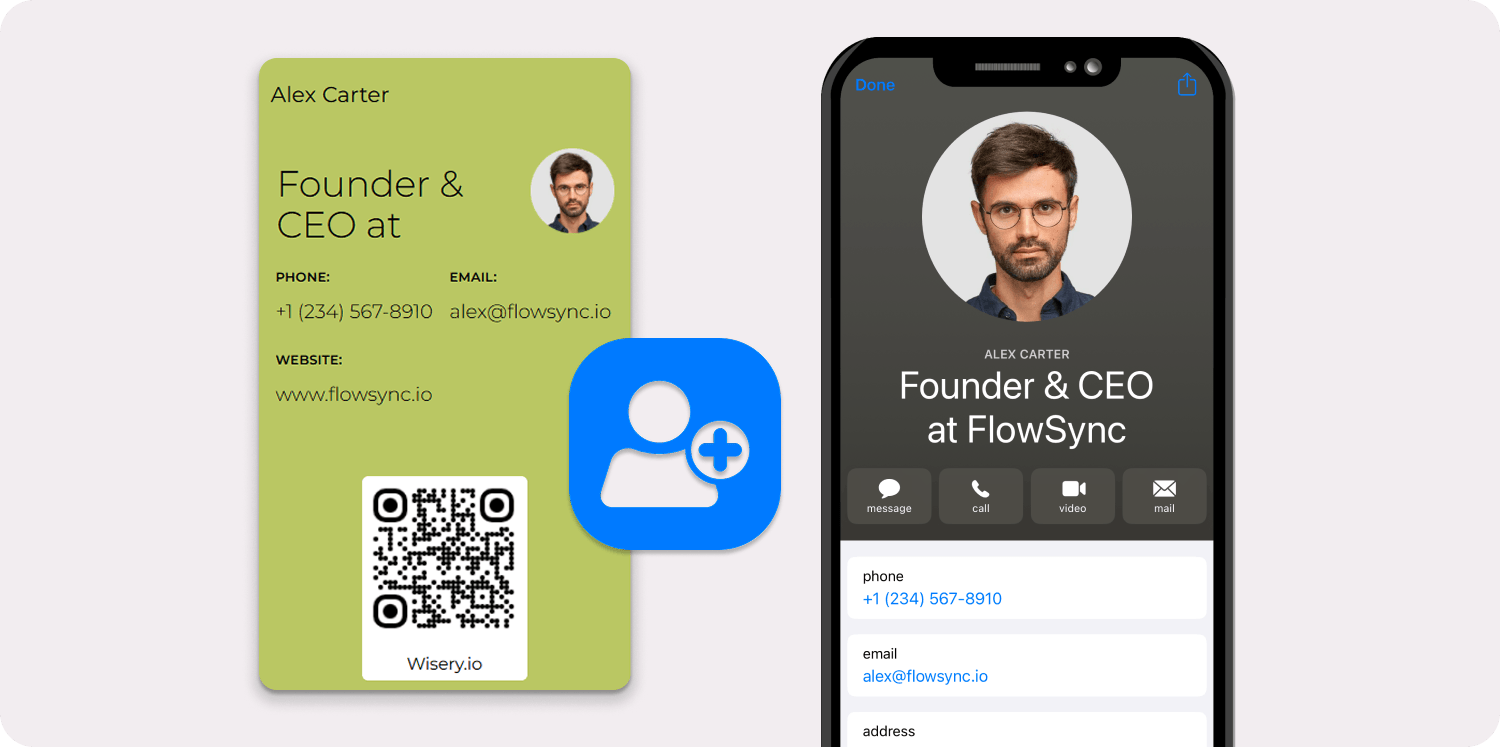
The Internet Mail Consortium developed the initial specification in the mid-1990s to attach contact information to emails. Since then, the format has undergone several revisions – vCard 2.1, 3.0, and the current 4.0 standard defined in RFC 6350, each of which expanded the set of data fields and improved compatibility.
The advantage of vCard is its versatility and ability to manage contact information across devices – whether it’s an iPhone running iOS, an Android phone, Microsoft Outlook on a Windows computer, Gmail in a browser, or a CRM platform. But technical specifications are far from the only feature of vCard.
It is how completely invisible the format has become. You probably use vCards every single day and don’t even realise it. Hit “Share Contact” on your phone? That is a vCard being generated and sent. Ever see a small “Add to Contacts” link in someone’s email signature? It links to a .vcf file. Get a booking confirmation with the organizer’s details ready to save in one click? A vCard just did the heavy lifting.
This article breaks down the vCard from every angle that matters to a working professional. We’ll look at why the format exists in the first place, how it quietly powers the daily exchange of contact information across platforms and devices, the business value it creates behind the scenes, its surprisingly potent role in branding, and how it compares to other types of digital business cards, as well as where it fits into the broader move toward contactless professional interactions.
Practical issues will also be covered, such as whether you can stash one in Apple Wallet or include one in your email signature. Because the best technology is the kind you actually know how to use. After all, convenience only matters when it fits naturally into your daily communication.
Why the World Needed a Better Way to Share Contacts
It is easy to take frictionless contact sharing for granted when it just works. But rewind a couple of decades, and the process of getting someone’s details into your phone or CRM was a genuine ordeal – one that wasted time, killed deals, and annoyed pretty much everyone involved.
The Decline of Paper Cards and Manual Typing
Paper business cards had a good run. For the better part of a century, they were the undisputed standard. Portable, personal and universally understood. You shook hands, swapped cards, and moved on. Simple enough. The trouble started after the handshake. A study by the Direct Marketing Association found that 88% of traditional business cards handed out at presentations and networking events end up in the trash by the end of the week.

Those who avoid this fate face another obstacle: the human factor. Errors and typos often occur when entering contact information manually. This reduces the chance of establishing a connection to zero. Even when the contact finally makes it into your phone or CRM, the enthusiasm from the initial conversation will have already faded. The lead goes cold, and no connection is made.
It is also important to consider the ecological aspect. The global printing industry churns out billions of traditional business cards every year. Most of them end up in landfills. At the same time, environmental concerns are gaining momentum every year, which naturally affects businesses as well.
As a result, companies are reluctant to justify such expenses and prefer digital alternatives to physical business cards. What the business world needed was dead simple: a way to move contact information straight into digital systems. No retyping, paper and a two-day lag between meeting someone and actually being able to reach them. The vCard file format delivered exactly that.
Cross-Platform Chaos: Email, Phones, CRMs, Messengers
Going digital did not automatically fix things, though. If anything, the early years of digital contact management introduced a whole new category of headaches. Apple stores contact one way. Microsoft Outlook stored them elsewhere. Gmail had its own format. CRM platforms such as Salesforce and HubSpot used their own data structures that were not interoperable.
Messaging applications, booking systems, and customer support tools processed names, phone numbers, and email addresses according to their internal logic. Try exporting a contact from one of these systems and importing it into another. Fields would vanish, formatting would break, and duplicates would multiply. Sales teams spent hours cleaning up messy databases that should have been accurate from the start.
Customer service representatives were routing customer inquiries incorrectly because the data in their system did not match the actual customer information. This led to chaos and high financial costs. The VCF file format sliced through all of that. Since the vCard standard is an open specification supported by virtually all major operating systems, email clients, and mobile devices worldwide, it serves as a universal translator for contact details.
A vCard created on an iPhone opens perfectly on Android. One exported from Outlook imports cleanly into Gmail. A vCard generated by a CRM downloads and saves to any contact list on any device. That cross-platform compatibility is the single biggest reason the format has survived for close to three decades – and why nobody has seriously tried to replace it.
How vCards Power Everyday Digital Interactions
Here is the thing about vCards that catches people off guard: they are everywhere, and almost nobody notices. The format has burrowed so deeply into modern communication tools that using one feels no different from using the platform itself. Which, when you think about it, is exactly how good infrastructure is supposed to work.
From Messaging Apps to Booking Services
vCard greatly simplifies modern business routines. Contact information is exchanged via a messaging app like WhatsApp. You simply open the app, search for the contact you need, and select the “Share” option. Behind the scenes, WhatsApp generates a vCard file containing the contact information and sends it.
The recipient taps on the received file, the data is added to their address book, and the whole process is complete before either person has even finished their morning coffee. No copying. No pasting. No squinting at a phone number to wonder if it is a 7 or a 1. Professional tools work the same way. App scheduling platforms like Calendly include vCard data in their confirmation emails.
When a client books a call with you, they receive your name, direct phone number, and email in a VCF file that can be downloaded from the confirmation email. One tap, and contact saved. For service businesses, this is the kind of small detail that separates a client who actually calls back from one who loses your number in a sea of emails and never follows up.
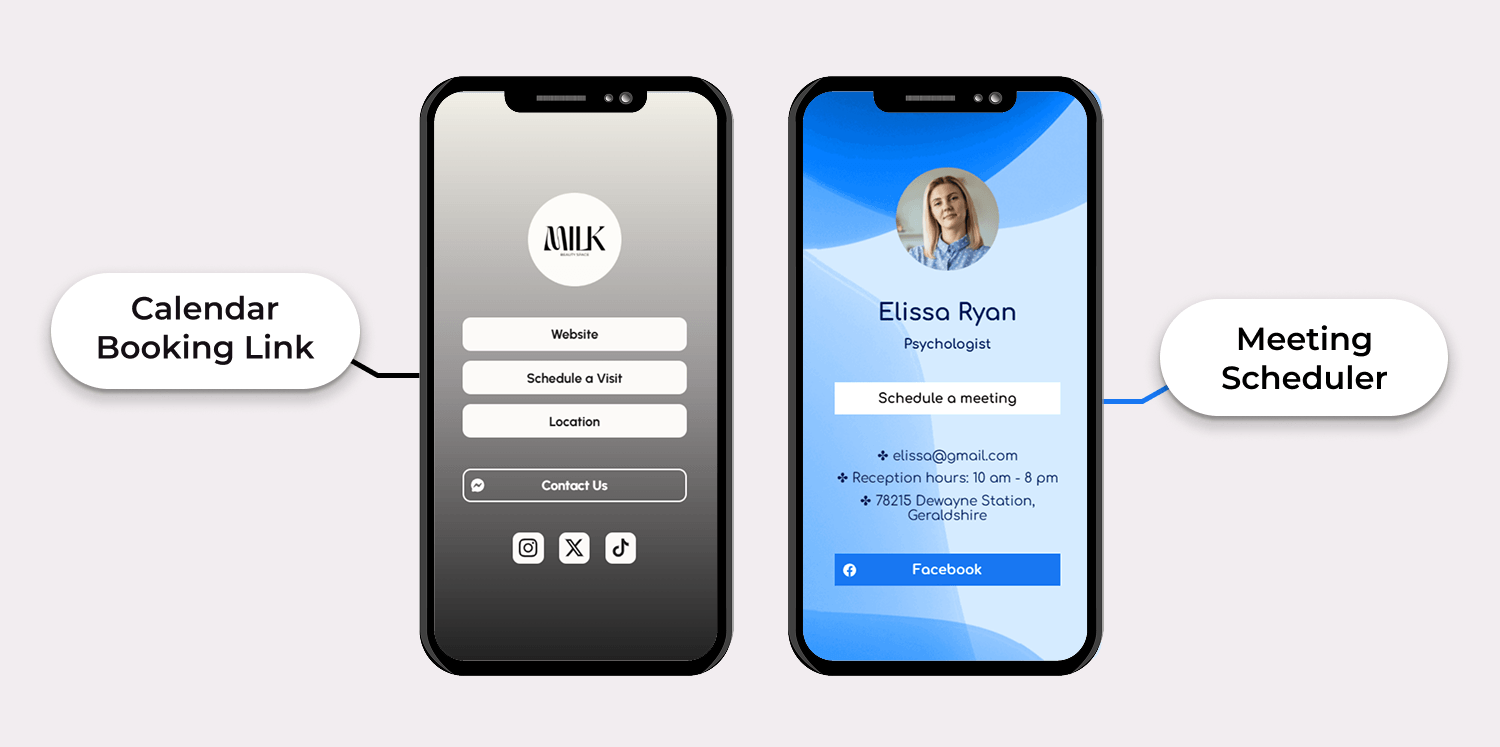
Travel and hospitality companies have caught on, too. Hotels, airlines, and car rental agencies are increasingly including vCards in their booking confirmations. This ensures that travelers have all the necessary information automatically saved on their mobile devices even before they step off the plane. Keeping up with these modern trends demonstrates professionalism. And in hospitality, competence is the product.
Why People Exchange vCards Without Even Realizing It
vCard is a remarkable technological standard that is impressive for its quiet success. When iPhone users open the Contacts app, select a name, and choose the “Share Contact” option, the smartphone generates a .vcf file and offers options such as AirDrop, Messages, Mail, or any installed app.
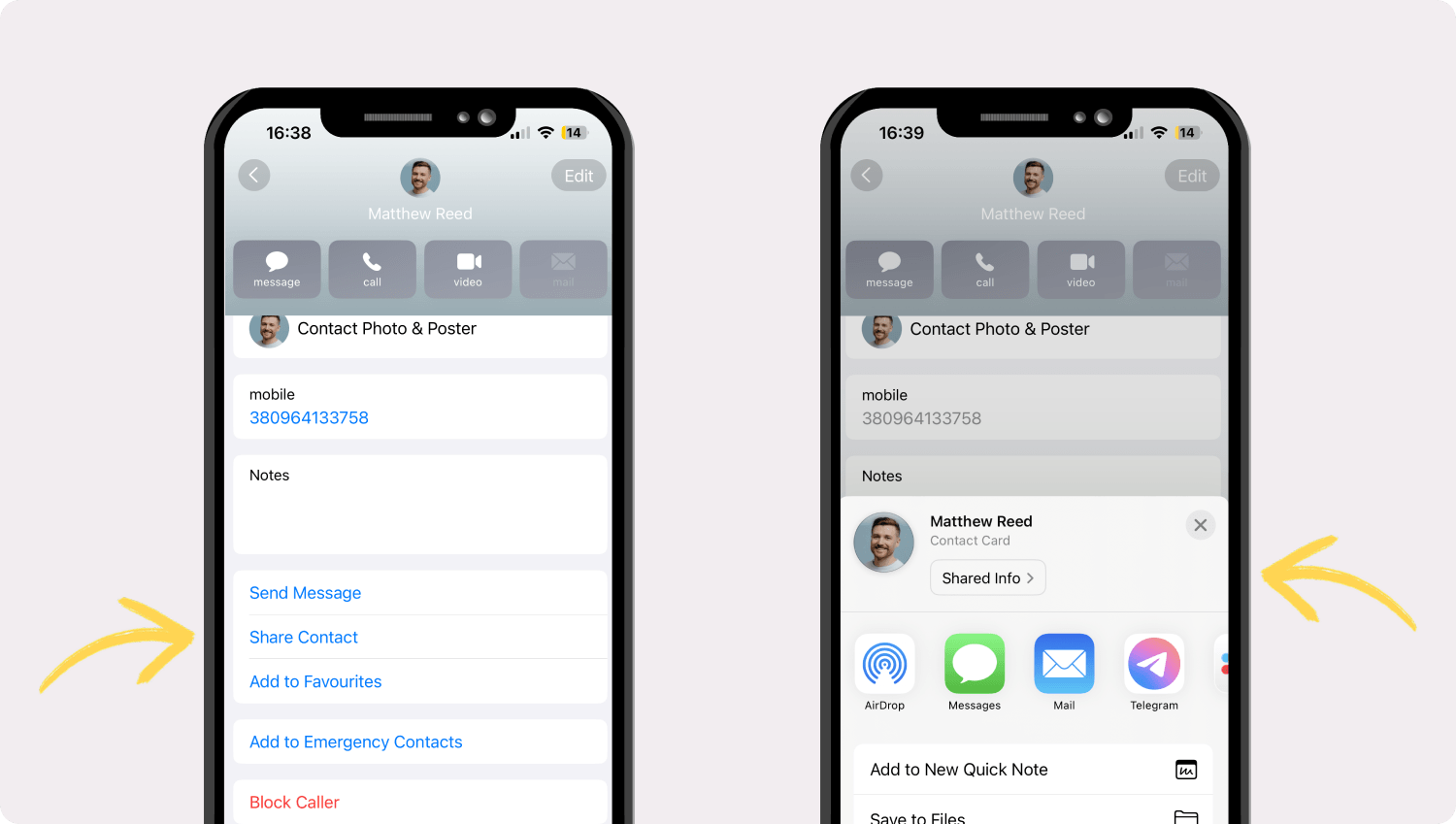
This way, people don’t even have to think about file formats or data specifications. They are just sharing a contact. But underneath that simple gesture, a vCard is doing all the work. Android handles it identically. So does Microsoft Outlook on desktop. So does Gmail when you export a contact.
The vCard standard has become so fundamental to how these platforms operate that it has essentially disappeared from conscious thought. Nobody talks about vCards the way they talk about PDFs or spreadsheets, and that is actually the highest compliment a technology standard can receive. It means the thing works so well that people forget it exists.
The Psychology of Frictionless Contact Sharing
It is worth mentioning here an aspect related to behavioral science that many businesspeople ignore, thereby harming their own interests. UX research has repeatedly shown that every additional step in a process – every extra tap, every form field, every moment of hesitation – reduces the likelihood that someone will complete the action.
Researchers sometimes call this the “friction tax.” And it applies to exchanging contact information just as much as it applies to checking out on an e-commerce site. Think about what happens at a networking event when sharing details is clunky. You meet a potential partner, pull out your phone, open a notes app, ask them to spell their last name and type their number while they dictate it over background music.
You get one digit wrong and do not realize it until two days later when the call goes to a pizza shop in New Jersey. Half the time, people just give up and say, “Find me on LinkedIn,” which, let’s be honest, is where most connections go to die quietly. The vCard kills all of that friction. Tap, send, done.
The recipient gets a perfectly formatted, error-free package of contact information that saves to their address book with one more tap. No typos, lost details and clumsy messages asking, “Hey, was that a ‘7′ or a ‘1′?” For any professionals whose work relies on establishing contacts and timely follow-ups, this isn’t just a nice bonus feature. It is a competitive edge.
The Hidden Business Value Behind vCards
Personal convenience is one thing. But the real story for organizations – especially those managing thousands of contacts across sales, support, marketing, and operations – is the quiet, unglamorous value the vCard format delivers at scale. It ensures that contact information is consistent across all systems, reduces manual data entry, and maintains consistency when information is shared between teams and tools.
Cleaner Databases for Sales & Support Teams
The issue of poor-quality data doesn’t seem that serious until the bill arrives. A 2023 Gartner report states that the average annual cost of poor-quality data is $12.9 million per organization. Errors in names and phone numbers, as well as outdated email addresses, come at too high a price. Customers are left disappointed, fail to respond to emails, or miss calls, and companies lose revenue.
When it comes to vCards, however, it’s a completely different story. Data is entered into the CRM in a structured, clean format, with fields clearly defined in the VCF file format. As a result, the sales team importing leads after a business event encounters fewer duplicates and spends less time cleaning up data.
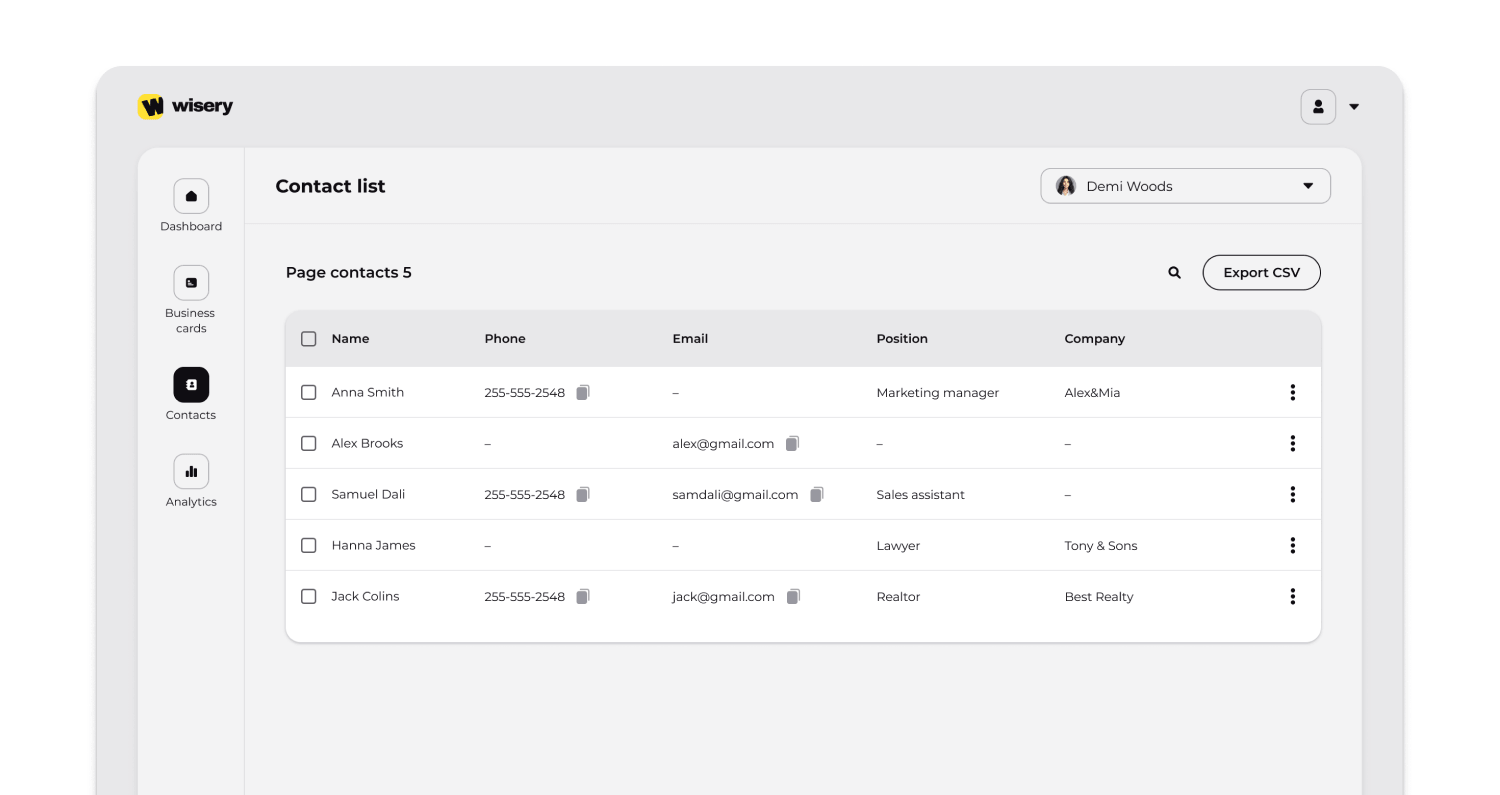
Client support enjoys the same benefits. When a customer’s contact information is accurate from the very first interaction, all subsequent touchpoints are delivered to the right address. This reliability builds trust in a way that’s practically impossible when your team works with manually entered data riddled with minor errors.
Unified Company Identity Across All Employees
Let’s consider the most common scenario for most medium-sized companies. Suppose 150 employees regularly share their contact information with potential customers, suppliers, or partners. Without any coordination, these 150 employees convey 150 slightly different impressions of the company. Some include the website. Some do not. Some list a direct line.
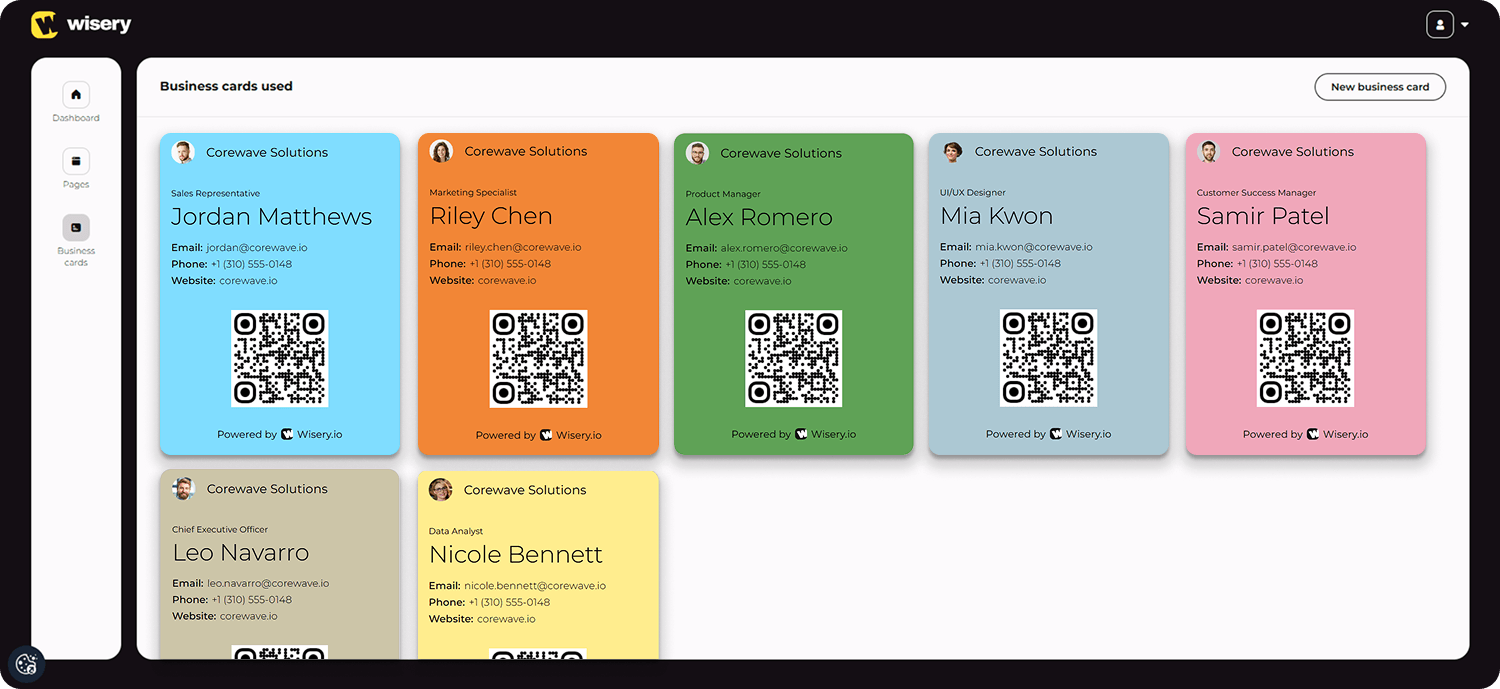
Others share the main switchboard. Job titles get formatted three different ways. The office address shows up in at least two variations. It is not a crisis, but it is sloppy. And sloppiness, over time, erodes how professional your organization looks. The fix is straightforward: create a standardized vCard template for the company. Lock in the correct company name, address, website, logo, and formatting.
Then deploy it across the workforce so that every employee shares a consistent, polished virtual business card. This is not about obsessing over fonts. It is about brand integrity. When a potential client receives a digital business card from a representative of your company, it should look professional and inspire confidence.
Some organizations go even further by using vCard creation tools or internal platforms that automatically generate personalized vCards for each employee, pulling data from the corporate directory and applying approved brand guidelines. This approach is often supported by solutions like white label digital business, enabling companies to maintain full control over branding while scaling contact sharing across teams. The result is a consistent brand identity that scales easily.
Reducing Errors, Lost Leads & Communication Gaps
Every manual entry is a coin flip. Okay, not literally, but the error rate is high enough that the analogy holds. Transposed digits in a phone number, a misspelt domain in an email address, inconsistencies in the name – choose any suitable option. Sure, taken individually, these mistakes aren’t that serious, but when you put them all together, the problem becomes much clearer.
Emails bounce. Calls reach the wrong person. Packages arrive at the wrong building. Leads slip through the cracks because nobody could get in touch with the prospect. vCards eliminate this entire category of risk. The contact information transfers digitally, exactly as the sender created it. No transcription step, no human error injection point.
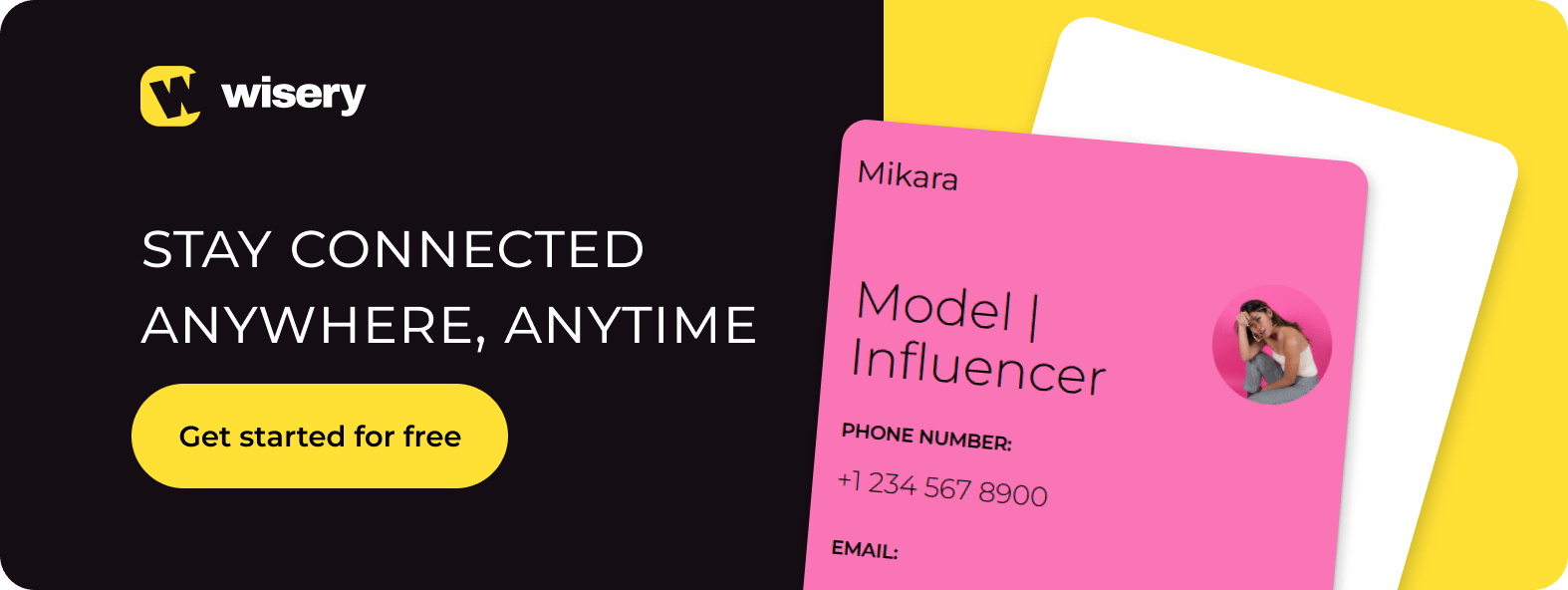
This is also where the value compounds beyond individual use. When contact sharing is standardized across a team, it removes friction from how information moves between systems and people. Platforms like Wisery help structure this process, ensuring that vCards aren’t just accurate, but consistently managed and easy to scale across an organization. It turns individual efficiency into a coordinated system.
For businesses that handle high volumes of contacts – recruiting firms, real estate brokerages, event organizers, professional services shops – that reliability compounds into a serious operational advantage over months and years. In addition, it offers benefits in terms of coordination.
When a new client sends their virtual business card to your team, every relevant department can import that exact same vCard into their own systems. Sales, billing, account management, support – they all work from the same accurate dataset. No conflicting versions. No “wait, which email address is the right one?” conversations. Just one structured file serving as the single source of truth.
vCards as a Branding Touchpoint
Most people think of vCards as purely functional. Data in, data out, job done. But there is a branding dimension here that smart companies are increasingly taking seriously. And it is more powerful than you might expect. A well-built virtual business card is not just a data file. It determines the first impression your conversation partner will have of you.
When people open your business card and see not only your standard contact information but also your photo, links to LinkedIn and Facebook, and a neatly formatted company address, you’ll score much higher than your competitors. Since this moment marks the beginning of contact with the brand.
Remember what traditional paper business cards used to signal. The weight of the cardstock. The quality of the print. The typeface. All these details spoke to who you were and how seriously you took your work. Today, a digital business card has the same significance; it’s just expressed differently.
A vCard with a sharp headshot, a properly formatted address, a direct LinkedIn link, and branded company details says something very different from a bare entry that is just a name and a phone number. And here is the part that makes this so cost-effective: every time that contact gets pulled up in someone’s phone, your branded photo and company name appear.
Every incoming call from your number displays your face and your affiliation
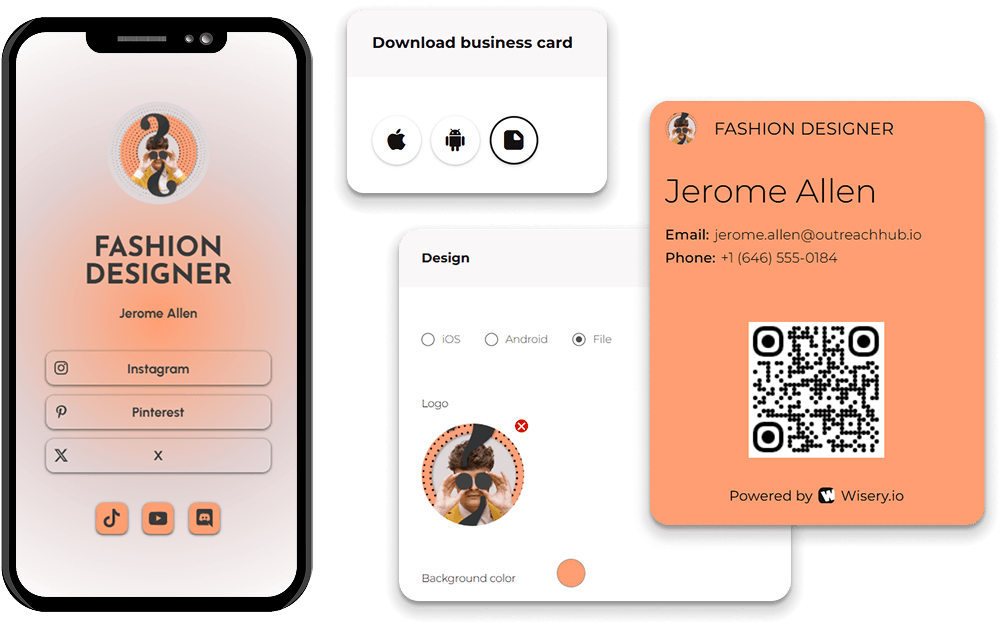
. It is an ambient brand reinforcement that costs essentially nothing to set up but continues to work indefinitely. For companies willing to invest in customization – adding logos, taglines, or landing page links within their vCard – the file becomes a miniature marketing asset.
Some vCard generator platforms now offer analytics, tracking how many times a digital business card has been downloaded, saved, or shared. That turns a humble contact file into a measurable piece of your communications strategy. For companies that want to take this further, standardizing branding, managing employee cards at scale, and gaining visibility into how contact details are used, platforms like Wisery provide a more structured approach. Not bad for a technology that most people don’t even know they are using.
Where vCards Fit Into a Contactless Lifestyle
The pandemic has ushered in a new era – one of widespread digitalization. Or, at the very least, it has accelerated this process by six years, according to a Twilio report. 97% of respondents confirmed that the coronavirus has accelerated digital transformation strategies, with a particular focus on digital communication, as it has become a new driving force for business.
In the professional field, the ability to instantly exchange contact information has evolved from a convenience into an absolute necessity. The rapidly changing world of digital communication has long since rendered manual data entry and other complications obsolete, as every wasted minute can now result in missed opportunities. In this context, the vCard is a reliable solution.
QR Codes on Business Cards, Websites & Packaging
It’s hard to imagine the modern world without QR codes: they’re everywhere, from café menus to messaging apps. Just ten years ago, this technology seemed like a temporary “stopgap” that was about to be replaced by contactless payments via NFC or augmented reality. However, the pandemic and the evolution of mobile cameras have turned these black-and-white squares into a global standard.
What’s more, QR codes can contain contact information. You can add a vCard QR code to a business card that triggers the smartphone’s built-in contact-saving feature. Options include generating a QR code that, when scanned, either opens the vCard file directly or redirects the scanner to a landing page where the VCF file can be downloaded.
The recipient points their device’s camera at the code, taps the message that appears, and saves the contact. Since both iOS and Android support scanning QR codes directly through the camera, you don’t need any additional apps. This opens up a wide range of creative possibilities for business. With a QR code, customers can instantly access a menu, price list, payment app, or product and service information.
For example, a QR code on a box of corn flakes lets people quickly access the customer support page without wasting time searching the website. Or instantly go to the website itself if they want to learn more about the product. In each of these cases, vCard is the invisible mechanism that makes everything happen effortlessly.
NFC Cards, Wearables & Mobile Wallets
Near Field Communication (NFC) technology opens up new possibilities for contactless data exchange. NFC-enabled business cards look like ordinary plastic or metal cards, but contain a tiny chip that transmits data when touched by a smartphone. The data transmitted is typically a vCard file or a link to one. No app to open. No code to scan.
Simply hold your phone up to the card, and the contact information will appear on the screen. Sales professionals and executives who attend frequent in-person meetings have been particularly quick to adopt this. The act of handing over a physical business card remains, but the exchange of information happens instantly and entirely in digital format.
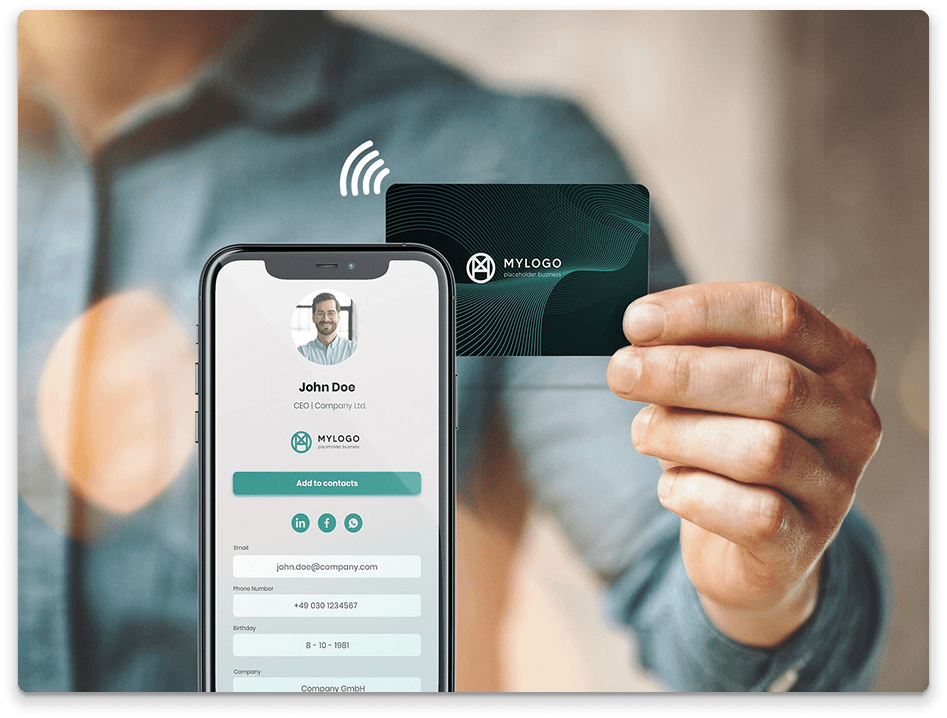
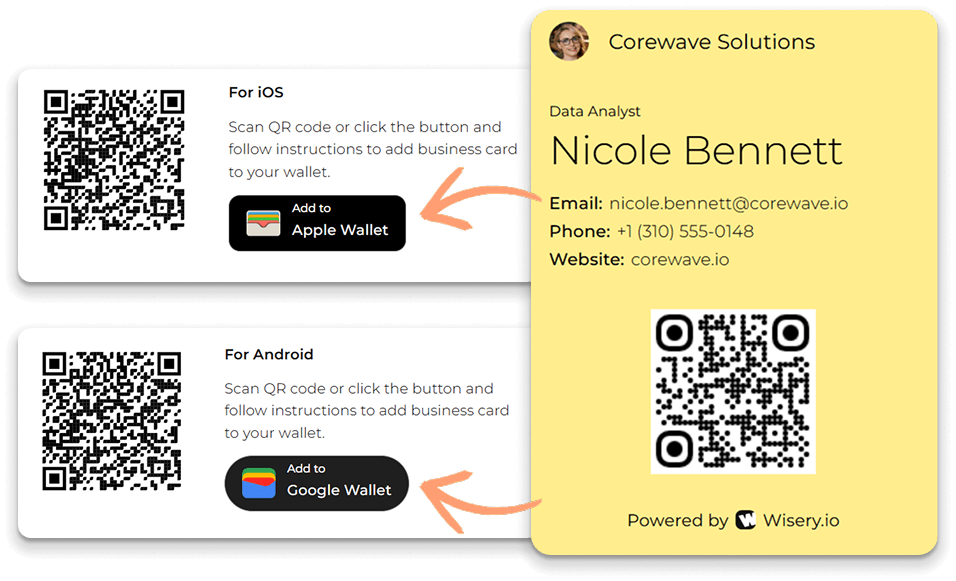
Companies such as Popl, Mobilo, and V1CE have created entire product lines based on NFC-enabled cards and accessories. These include bracelets, phone cases, and keychains that let people exchange contacts in vCard format with a single tap. Mobile wallets are emerging as another channel. Apple Wallet does not natively support VCF files in the same way it supports boarding passes or loyalty cards.
However, third-party services offer workarounds, such as wallet passes containing a QR code linked to your digital business card. Android has similar functionality through Google Wallet integrations and dedicated apps. The underlying goal is always the same: let professionals easily share contact information as fast and thoughtlessly as tapping a credit card at a register.
Instant Sharing at Events, Stores & Customer Touchpoints
Digital business cards (vCards) are most effective for networking at presentations, trade shows, conferences, and other events, as well as at customer service counters, where time is of the essence. And vCard features such as high foot traffic, limited time, and short attention spans fit perfectly into this scenario.

Imagine you’re at a professional conference. As a company representative, you’re set to meet dozens of potential clients in a single day. If every interaction involves pulling out a paper business card, waiting for the other person to find theirs, and then manually entering all the data later that evening in your hotel room, a significant part of those contacts will simply be lost.
Fatigue, lost business cards, illegible handwriting – the list goes on and on. With a vCard shared via QR code, NFC, or AirDrop, transferring contacts takes just a few seconds. The data inserts straight into the system, where it can be tagged, categorized, and tracked while the impressions from the conversation are still fresh.
Hospitality and retail businesses have caught on. A boutique hotel shares its concierge team’s vCard at check-in – guests have the direct line and email for the duration of their stay without digging through a welcome packet. Take, for example, a car dealership that sends a virtual business card to every customer who takes a test drive, making it very easy for them to call back when they’re ready to negotiate. These are small moves, individually. But in competitive markets, small moves stack up fast.
The Future of Contact Sharing
The vCard has been around for roughly thirty years. For a technology standard, that is an eternity. The majority of formats that emerged in the mid-1990s are now museum pieces. But not vCard, which is gaining increasing popularity thanks to new technologies, evolving professional standards, and widespread digitalization.
The End of Traditional Business Cards
People have been predicting the death of the paper business card for at least a decade. And, frankly, the physical card has shown remarkable staying power. In Japan, the exchange of meishi carries deep cultural significance. Parts of Europe treat business card etiquette with similar gravity. The ritual matters in those contexts, and it will not disappear overnight.
But the trend line is hard to argue with. Surveys from networking industry groups consistently show declining print volumes for traditional business cards, particularly among professionals under forty. Environmental awareness, the sheer convenience of digital alternatives, and the growing expectation that exchanging contact information should be instant – all of it is chipping away at the case for carrying a stack of printed cards.
If you’re wondering what to do with the ones you already have, you can check out our related article: What to Do with Old Business Cards: Creative, Useful & Eco-Friendly.
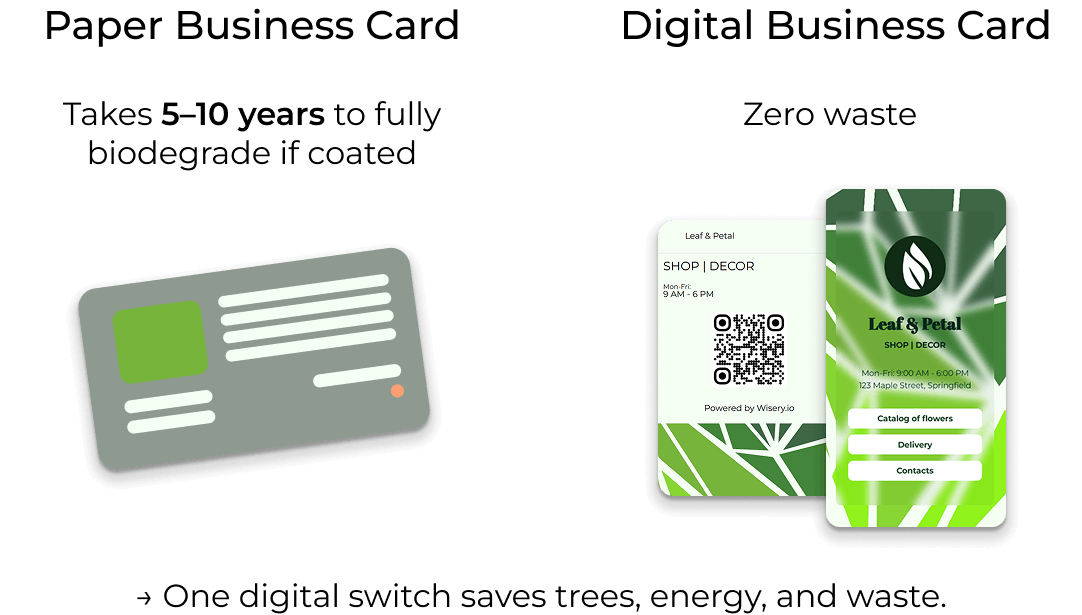
This does not mean paper vanishes entirely. It’s likely to become a niche format in certain cultural contexts. However, as a means of exchanging contact information, it has already served its purpose. The digital business card, which can be shared as a vCard file, via a QR code, or via NFC, has now become the standard practice for most professionals.
AI-Driven Personalization & Smart Contact Routing
Intelligent contact routing uses signals such as time of day, geographic location, and the scanner’s own digital profile to provide the most relevant contact information. And then the vCard is no longer just a static file, but becomes a dynamic, intelligent interface that connects the company with various target audiences.
But this already touches on security issues. As vCards become more dynamic and data-rich, issues related to data control, storage, and subsequent sharing become increasingly relevant. The vCard specification itself does not include any encryption or access control mechanisms. These tasks fall to the platforms and tools used to create and transmit such files.
In this context, approaches to selective data sharing are becoming increasingly important, allowing users to share only the necessary contact information without disclosing sensitive fields. At the same time, the exchange of contacts itself is becoming more intelligent and personalized, gradually integrating into workflows where vCard remains in demand due to its versatility and compatibility with various systems.
FAQ
What is the main disadvantage of using vCards compared to paper business cards?
Today, paper business cards are used mainly in cultures with established business customs. In Japan, South Korea, and China, exchanging cards remains important business etiquette, making digital cards less common – but this is not a significant drawback. Security, however, is an entirely different issue.
VCF files are plain text and do not include built-in encryption. Contact information is exchanged over unsecured channels, which carries certain risks. However, when viewed in a broader context, the convenience of using vCards and taking appropriate precautions can easily outweigh this limitation.
Can I store a vCard in Apple Wallet for quick sharing?
Apple Wallet does not support the VCF file format, but the solution lyes in platforms for creating digital business cards. They may differ in focus and functionality, but all allow you to create a wallet card with a QR code. To share your contact information, open a wallet and show the QR code to the person. When scanned, the contact information is automatically sent to their address book.
Is it safe to attach a vCard file if I don’t know the sender?
A .vcf file is a text file that contains structured contact details. It cannot execute code, so it is inherently harmless, unlike an executable file or a document with macros enabled. However, a vCard file may contain URLs, and a hacker could embed a link to a phishing page or a malicious download within the file’s fields.
The risk here is low, but it should not be ruled out entirely. For security reasons, it is therefore recommended to open VCF files using the “Contacts” app built into your smartphone. And, of course, don’t forget to check all web links before saving.
For security reasons, it’s recommended to open VCF files using the “Contacts” app on your smartphone. And, of course, don’t forget to check all web links before saving. Within a company, attention should be paid to filtering rules that scan incoming VCF attachments for suspicious content.
Can I use vCards inside my email signature to make sharing easier?
Yes, and this is the best way to do it. Using email clients such as Microsoft Outlook or Apple Mail, you can attach a VCF file to your email signature or include a clickable link to download the vCard. In short, you make things much easier for the recipients, who can save your contact details to their address book with just one click. This is a significant advantage for recruiters, client managers, CRM specialists and other professionals who send many emails to establish new contacts.

Viktoria is a Marketer at Wisery. When she’s not creating engaging content or sharing brand values, you’ll find her reading a good book or chilling with her cats.