You probably already control how your company presents itself across multiple touchpoints. Email signatures are standardized. Internal tools follow a clear structure. Even workflows, dashboards, and templates are branded, so nothing feels random or out of place.
But here’s a small detail that often slips through the cracks: business cards. When was the last time you checked them? Do they still match the employee’s role, contact information, or even employment status? In many companies, these cards quietly drift out of date while teams evolve.
People get promoted. Contacts change. Entire departments rebrand themselves without coordination. And suddenly, your company has multiple versions of identity floating around through outdated cards. It’s not just about control, but about making sure every shared entry reflects the current version of your organization.
Quick Overview
- How do you control employee digital business cards in one system?
Use a centralized platform where all cards are created, updated, and managed from a single dashboard to keep branding and contact information consistent.
- Why switch from paper to digital business cards?
Digital cards reduce costs, remove printing cycles, and allow real-time updates, making networking more efficient and flexible.
- How do digital business cards improve networking performance?
They track scans, clicks, and usage, so this data helps you understand what works and optimize your networking efforts.
- What happens to a digital business card when an employee leaves?
Deactivate or delete the card from the dashboard to stop sharing outdated contact information and protect your brand.
- How do you deploy digital business cards across a team?
Start with a template, duplicate it for each employee, add their details, review, and send cards via a shareable link.
Centralized Management: A Strategic Tool for Modern Teams
Without centralized control over employee business cards, companies risk inconsistent branding, outdated details, and broken client trust. A unified system ensures accuracy, consistency, and scalable communication across teams.
Centralized management means all employee business cards are created, edited, and governed through a single system rather than being individually controlled. It is not scattered files, personal designs, or disconnected tools. It is a structured environment where identity, updates, and distribution are synchronized.
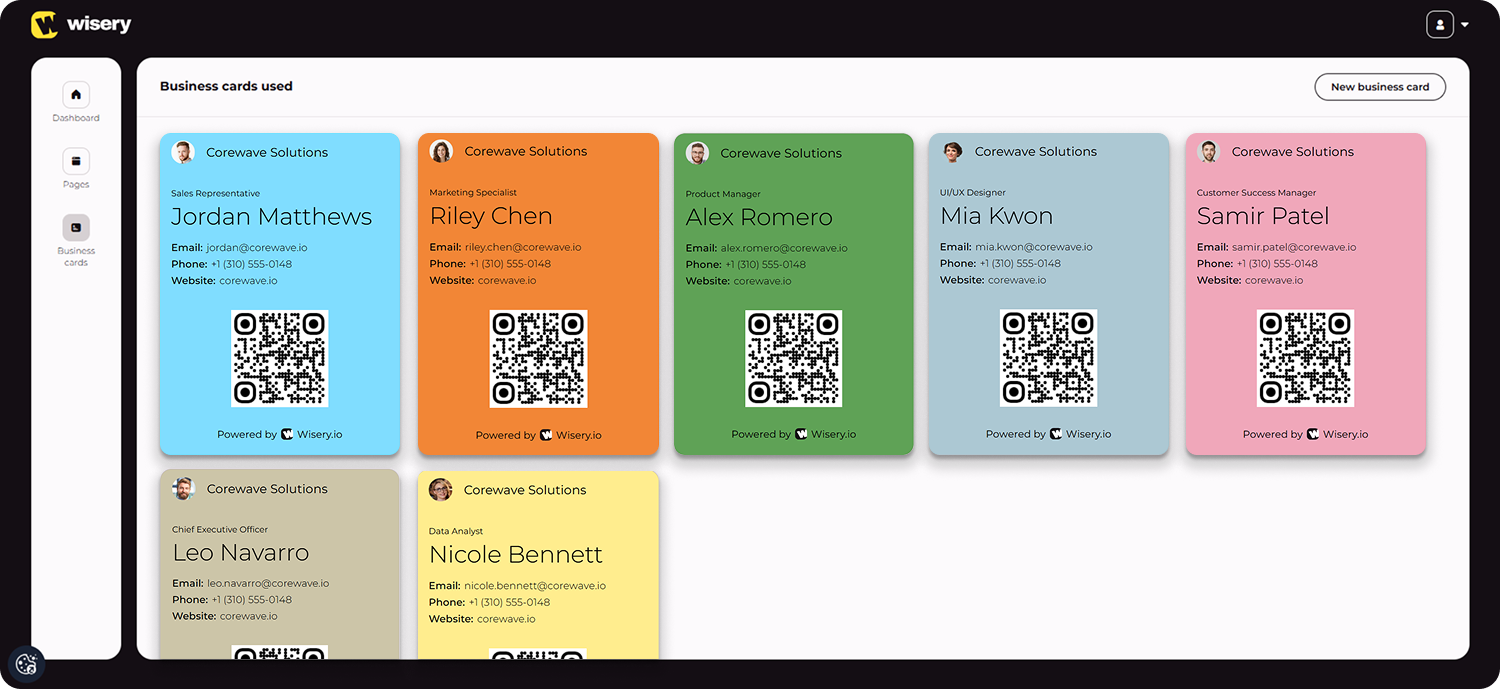
Imagine a situation where every employee designs their own card. One uses outdated logos, another includes personal branding, and a third forgets to update their job title after switching departments. A client meets three people from the same company and receives three different identities, instead of helping, these cards make relationship building confusing and inconsistent. That instantly weakens trust. In worst cases, clients might even question which version is “correct,” or whether they are dealing with the same organization at all.
Maintaining Brand Consistency and Information Detail
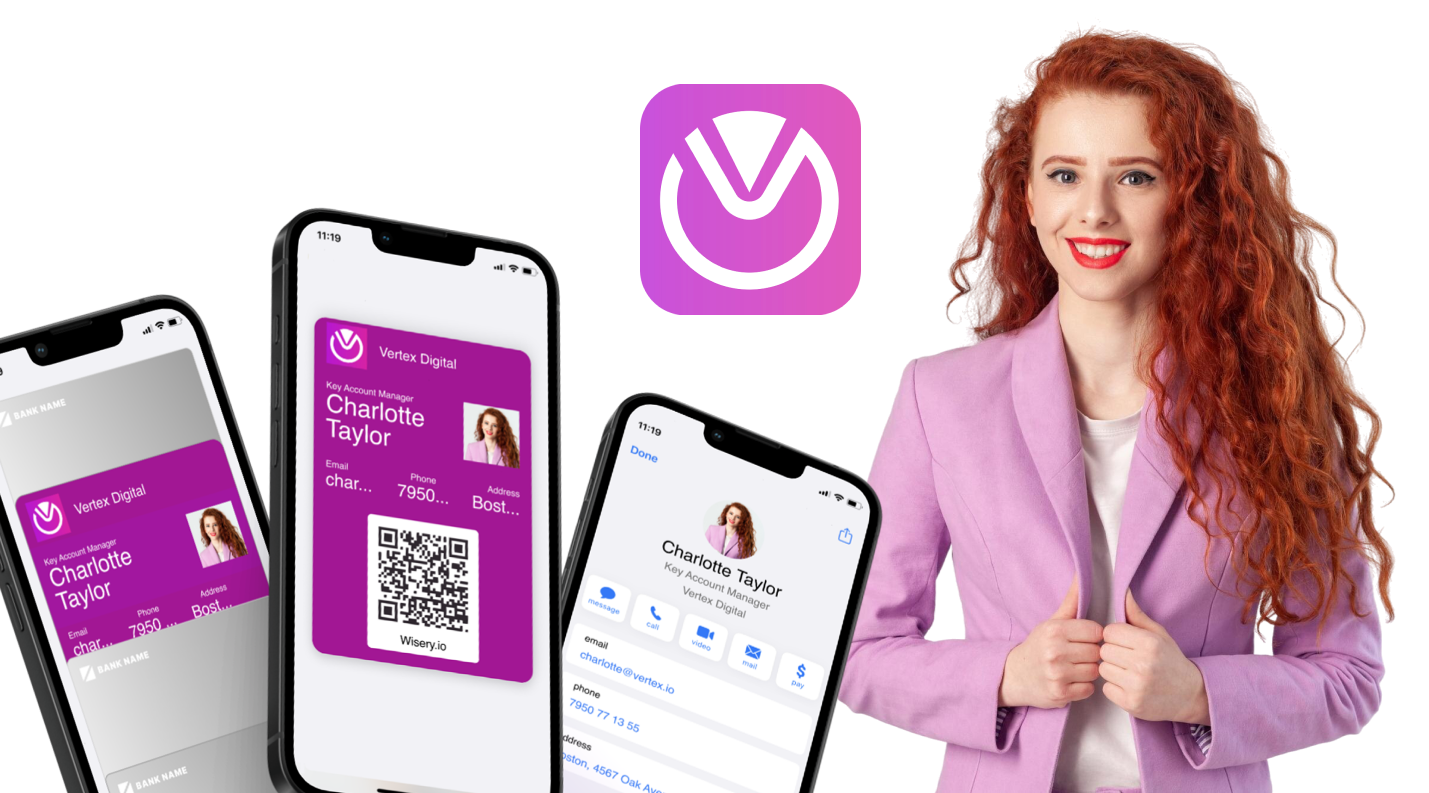
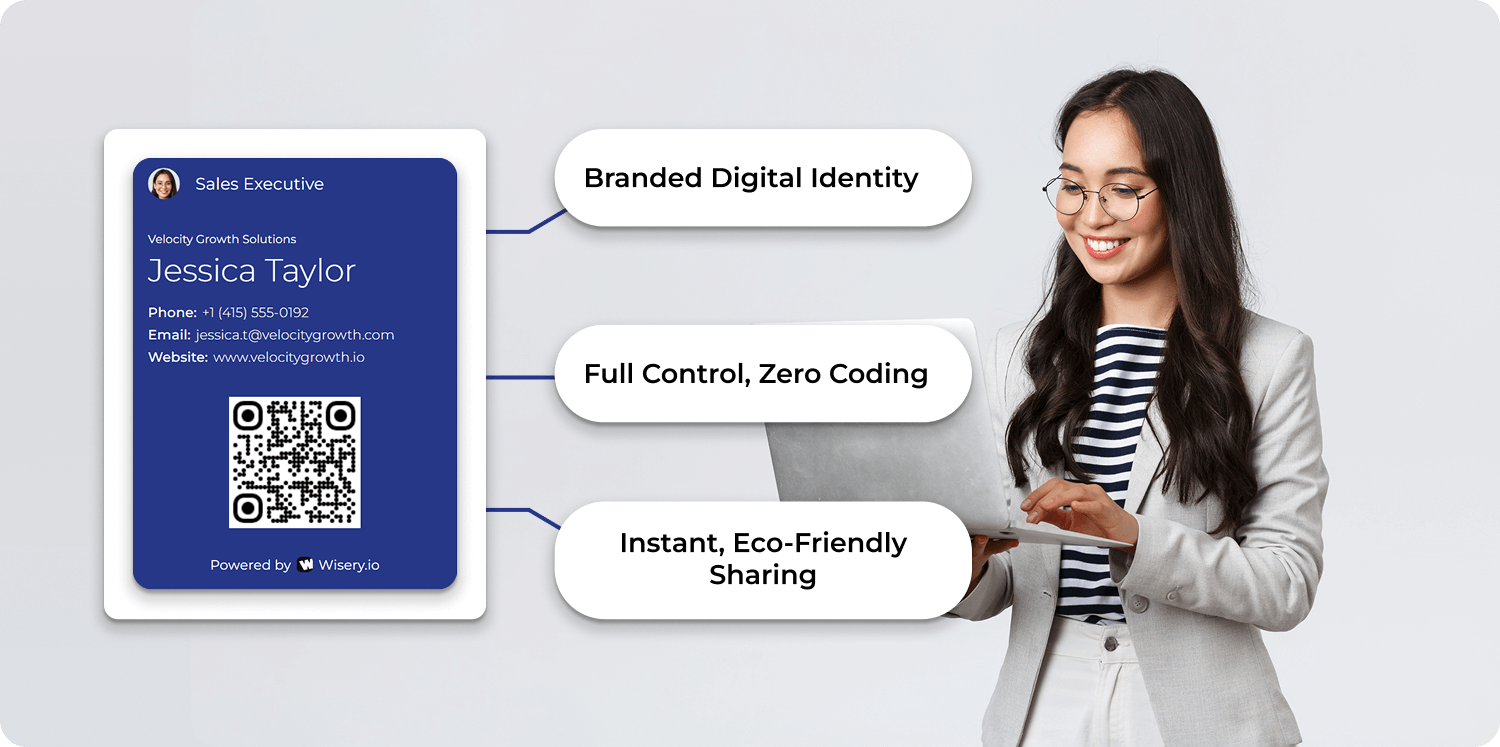
Maintaining a cohesive identity is essential for market positioning. This is where professional QR code use becomes part of a structured system rather than a random add-on. With a properly managed digital business card platform, companies ensure that every employee reflects the same branding rules, while still keeping individual relevance.
Unlike traditional cards, which often become outdated the moment they are printed, modern systems act as a living version of identity. They serve as an alternative to static formats and reduce the chaos caused by multiple disconnected paper business cards circulating in the market, allowing companies to upgrade how professional identity is managed and shared.
With digital business cards that offer centralized control, you can instantly update design elements such as colors, logos, and links. It ensures that every card remains consistent with the company’s current standards. If someone is promoted, the update takes seconds rather than restarting a full production cycle for traditional paper cards. It also improves card sharing, because employees always distribute accurate details.
Wisery allows you to organize employee cards in a structured system. You select a template, customize fields such as position, company links, and email, and ensure that every device is synced. You can also adjust visual identity elements such as fonts, colors, and layouts to match your identity.
This is where white-label digital business card systems become especially useful, because they allow companies to fully control how their visual identity appears without exposing third-party elements.
Employees receive their cards directly and can start sharing them instantly during various events. It improves communication, strengthens company perception, and increases engagement because every interaction feels consistent and intentional.
Beyond Printing: Real-Time Updates of Contact Details
The biggest shift between digital business card approaches and traditional paper cards is control.
With paper, every update triggers a chain reaction: redesign, approval, printing, shipping, and distribution. If something changes again, the cycle repeats. It creates delays, costs, and unnecessary friction, which is a clear limitation of physical formats.
With a digital system, everything is housed in a single admin panel. Updates happen in real time, improving effectiveness and removing the dependency on physical production. It also reduces manual data entry, where mistakes often occur, making the entire process more convenient for teams that need speed and accuracy.
From a financial perspective, digital systems are more cost effective. You eliminate physical production, logistics, and update cyclesFrom an operational perspective, they streamline processes because updates occur instantly rather than going through multiple approval layers. This allows companies to dedicate more time to actual relationship building instead of administrative repetition.
There is also a strong environmental advantage. Reducing printed materials supports sustainability goals and is consistent with modern compliance expectations. Many companies now actively choose eco-friendly systems because they align with broader corporate responsibility strategies, helping them boost their brand image in the process.
Unlike paper business cards, where you never really know what happens after distribution, digital systems give visibility. You can track usage, measure interaction, and understand what works. This is where digital business card data becomes valuable. You can see how often a card is opened, shared, or saved, and even whether users click through to LinkedIn or other linked media.
If you want to explore this further, take a closer look at the benefits of the digital business card and how they can transform your approach to relationship building.
For example, a sales team might discover that clients are far more likely to engage with cards that include portfolio links or updated contact sections. Another company might realize that certain events produce higher interaction rates, especially when using QR-based systems or similar triggers.
Even simple use cases show the difference. A marketer hands out 200 paper cards at a conference. Two weeks later, they have no idea which ones were used. With digital cards, they can see actual interaction patterns, making it easier to leverage data and improve relationship building efforts over time.
Digital systems prevent that uncertainty and turn every exchange into a measurable value.
Security and Accessibility: Managing Employee Connection Standard
Security in digital business cards is not optional. It ensures that only accurate, approved, and
compliant information is shared externally, protecting both brand integrity and user trust.
Access management refers to controlling access, editing rights, and distribution permissions of employee cards within a digital system.
A secure system must include permission settings, role-based editing, access revocation, and alignment with compliance requirements. It should also ensure that personal information cannot be misused or externally modified without control.
Companies must define who can edit what, when changes are allowed, and how access is removed when employees leave. Without this structure, outdated or incorrect information can continue circulating even after employment ends.
Permission Settings: What Can Employees Edit?
This is where balance becomes important. Employees need flexibility for personal connections, but companies need control over official identity. A structured system allows both.
For example, employees may be allowed to update their social media profiles, portfolio pages, or personal websites. At the same time, core fields like job title, department, or official email can be locked by administrators.
This creates a logical structure:
- Employee controls the personal networking layer
- The company controls the official identity layer
This is also part of proper digital business card setup, where control is divided intentionally rather than left open. It also supports better contact info governance, ensuring that shared details remain accurate across all cards via system-wide updates.
Offboarding: Revoking Access to Corporate Digital Cards
Offboarding is often treated as a checklist: disable email, remove system access, and archive files. But digital identity should also be included in that process.
When an employee leaves, their access to digital business card systems should be revoked immediately. In systems like Wisery, this can be done in one step. Once removed from the dashboard, the card is automatically deactivated across all connected device instances.
It prevents outdated information from continuing to circulate after departure.
Legal Compliance and Data Solution: Ensuring GDPR Standards
Security in digital business cards functions as a structural requirement, not just a technical layer. Every time contact data is shared, stored, or processed, there is a responsibility behind it.
At the same time, these systems introduce questions about privacy, accessibility, and compliance. This is why digital business card solutions must be built with strict protection foundations. To ensure safe usage, platforms should support encrypted data transmission, secure storage, and regulated access to contact information. Compliance with frameworks like the General Data Protection Regulation (GDPR) is not optional when handling personal data across business events and professional exchanges.
Controlling Data Flow in Corporate Networking
A key advantage of digital business cards is centralized data control. Unlike traditional paper cards, where data is physically distributed and impossible to track, digital systems allow companies to define exactly what is collected, where it is stored, and how it is shared.
This is where share digital business card workflows become especially important. Instead of uncontrolled distribution, every exchange happens through a centralized system. The company can monitor what contact info is shared, ensure compliance, and maintain visibility across all employee interactions. When choosing a type of digital business card solution, it is worth being cautious and comparing platforms like Wisery, or other tools such as hihello or blinq, since functionality and features like NFC support can differ significantly depending on the provider.
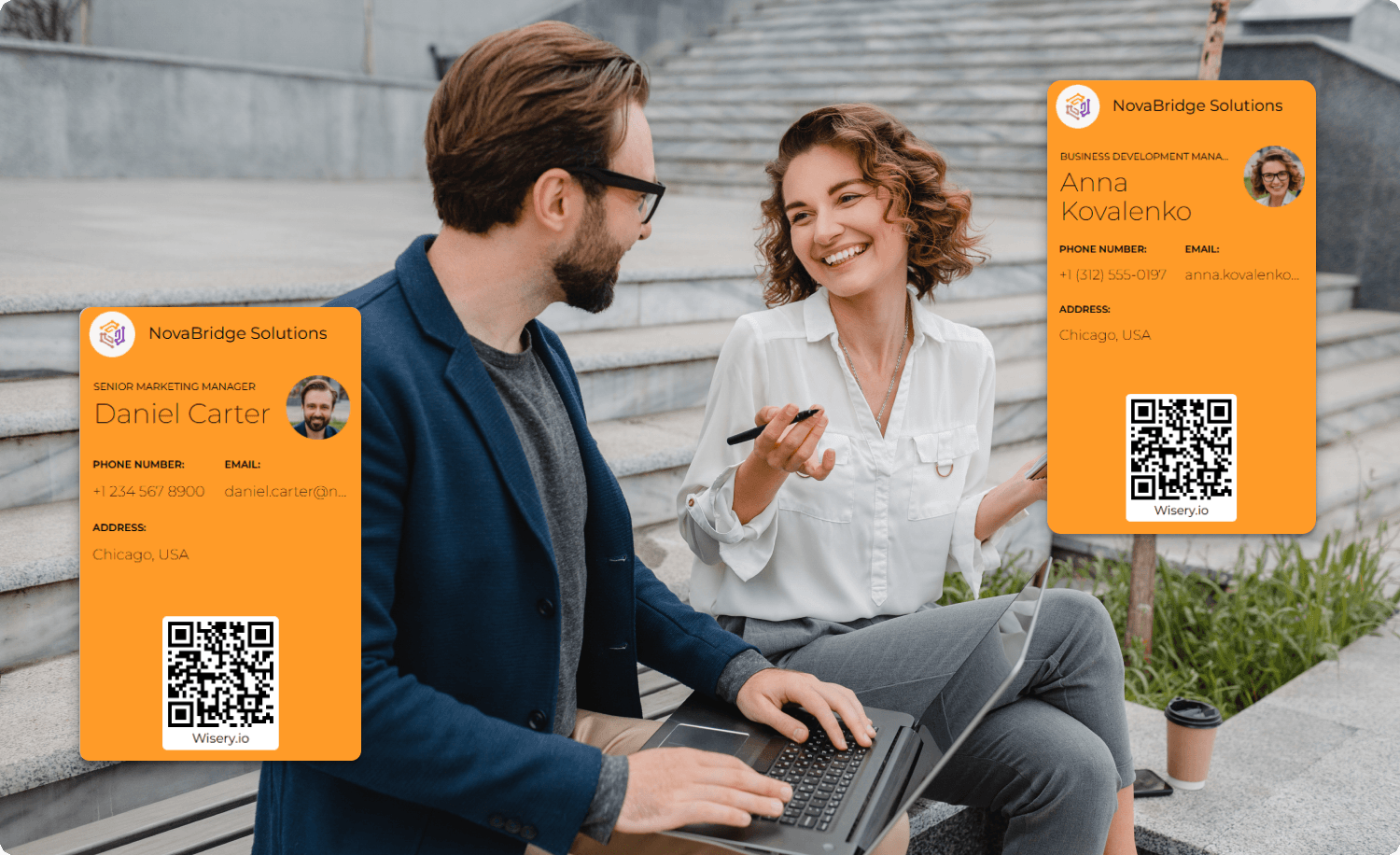
Centralized control also reduces GDPR risk significantly. When an administrator oversees all employee cards, the organization always knows which information is processed, where it is stored, and who has access. This is critical for audits, especially in companies operating across multiple regions or handling large-scale in-person networking activities or digital networking events.
It also reduces fragmentation. In paper-based systems, there is no way to verify how many versions of a card exist in circulation. With digital systems, everything is unified in one process, making compliance not just easier but structurally enforced.
The Right to be Forgotten: Managing Contact Data Upon Termination
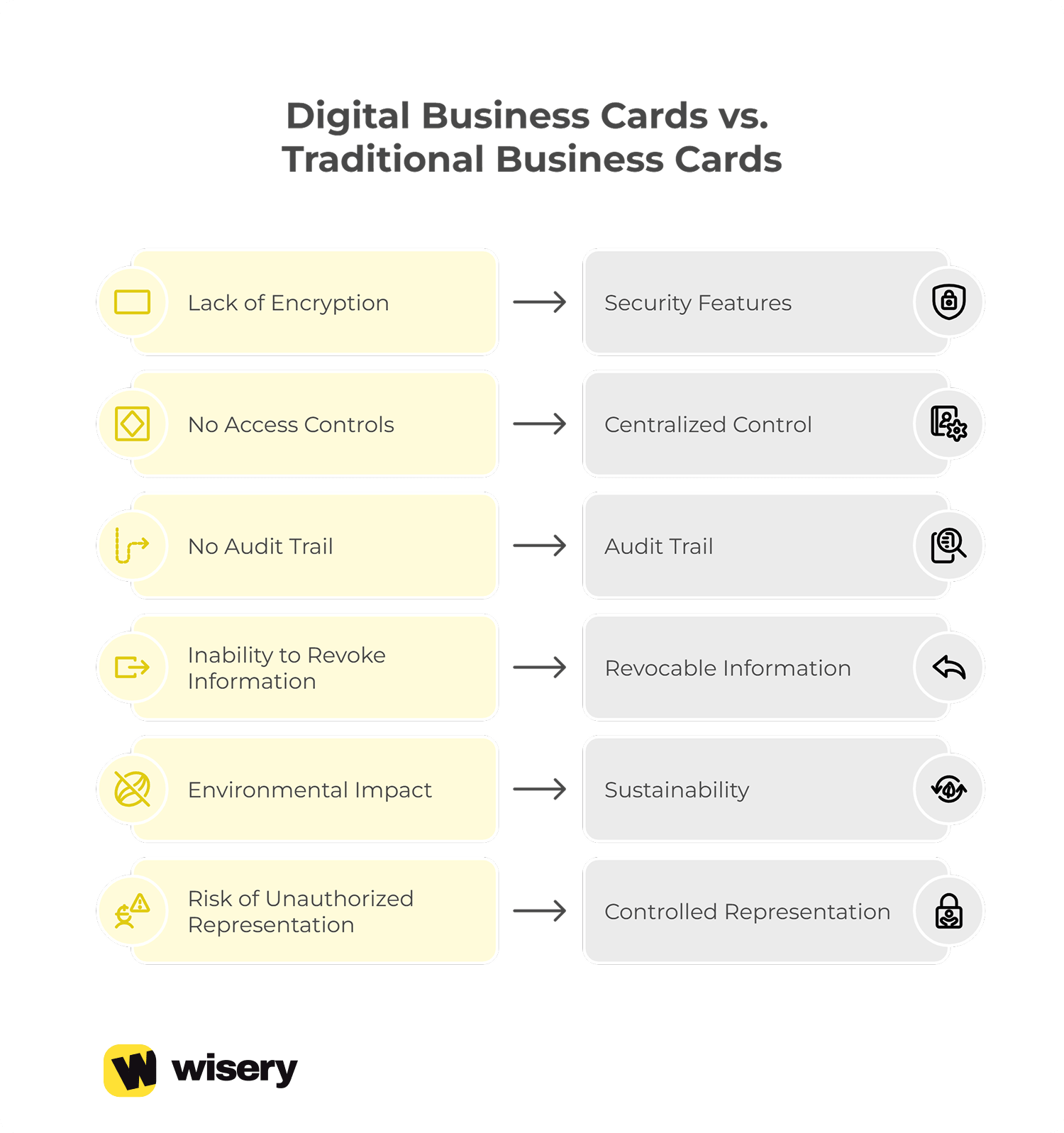
One of the most important GDPR principles is the “right to be forgotten.” In corporate environments, this becomes directly relevant when employees leave the company. With traditional paper cards, personal data often remains in circulation long after employment ends, creating uncontrolled exposure.
Digital systems solve this by enabling immediate deactivation. When a card is deleted or disabled, all associated details are removed from active use. This ensures that corporate email addresses, phone numbers, and links are no longer distributed externally.
This protects companies from several risks:
- Unauthorized use of outdated employee identity
- Misrepresentation of active company representatives
- Data leakage through third-party storage of old paper business cards
- Compliance violations under GDPR data retention rules
It also protects customer trust. If a former employee’s details continue circulating, clients may unknowingly reach out to inactive details, leading to broken communication flows and damaged communication quality.
With proper systems, offboarding becomes a controlled process rather than a blind spot. Removing a card from the dashboard ensures that all cards via the system are instantly deactivated, preventing further distribution.
Analytics: How to Connect Networking Data with CRM Insights
Digital business cards are not only about sharing contact details. They also provide structured data about how connections are made in practice. Instead of guessing what works, companies can observe real interaction patterns, where analytics can help identify what drives real engagement.
This is where data insights become a strategic tool. Every click, or card view becomes a measurable signal. It transforms networking from intuition into data-driven decision-making and improves overall effectiveness of outreach efforts.
Tracking Team Networking Performance Without Invading Privacy
Modern digital business card analytics dashboards allow companies to track how employees perform during networking efforts without intruding on personal privacy. You can see how many times a card is viewed, which links are clicked, and which sections receive the most attention.
For example, a sales team attending an event might notice that portfolio links receive significantly more clicks than phone numbers. That insight can directly influence how future presentation structures are designed.
Another real-world scenario: two employees attend the same meeting. One uses a card optimized with a clear call-to-action, while the other uses a basic version.The data shows that the first card generates more follow-ups and higher interaction, which helps refine the company-wide strategy.
At the department level, managers can analyze how many scans each team generates and compare lead quality across campaigns. This helps improve customer experience by understanding which contact info formats actually convert into meaningful interactions.Over time, these insights help improve performance, enhance user interaction, and refine how teams approach in-person relationship building situations.
CRM Integration: Automating Lead Capture for Teams
One of the most powerful extensions of digital business cards is integration with CRM systems like Salesforce or HubSpot. Instead of manually entering lead details, data flows directly into the company CRM. This automation significantly reduces manual data entry errors and saves time for sales and marketing teams. When a user interacts with a digital card, their details can be automatically captured and assigned to the correct pipeline stage.
In real implementation, an employee shares a card during a meeting. The recipient scans it, and the system instantly logs the interaction. The lead appears in the CRM with relevant tags, source attribution, and followup reminders.
Wisery enhances this process by offering a centralized contact dashboard where teams can export CSV files, manage leads, and organize follow-ups efficiently. This ensures that no lead is lost and every interaction contributes to the broader system.
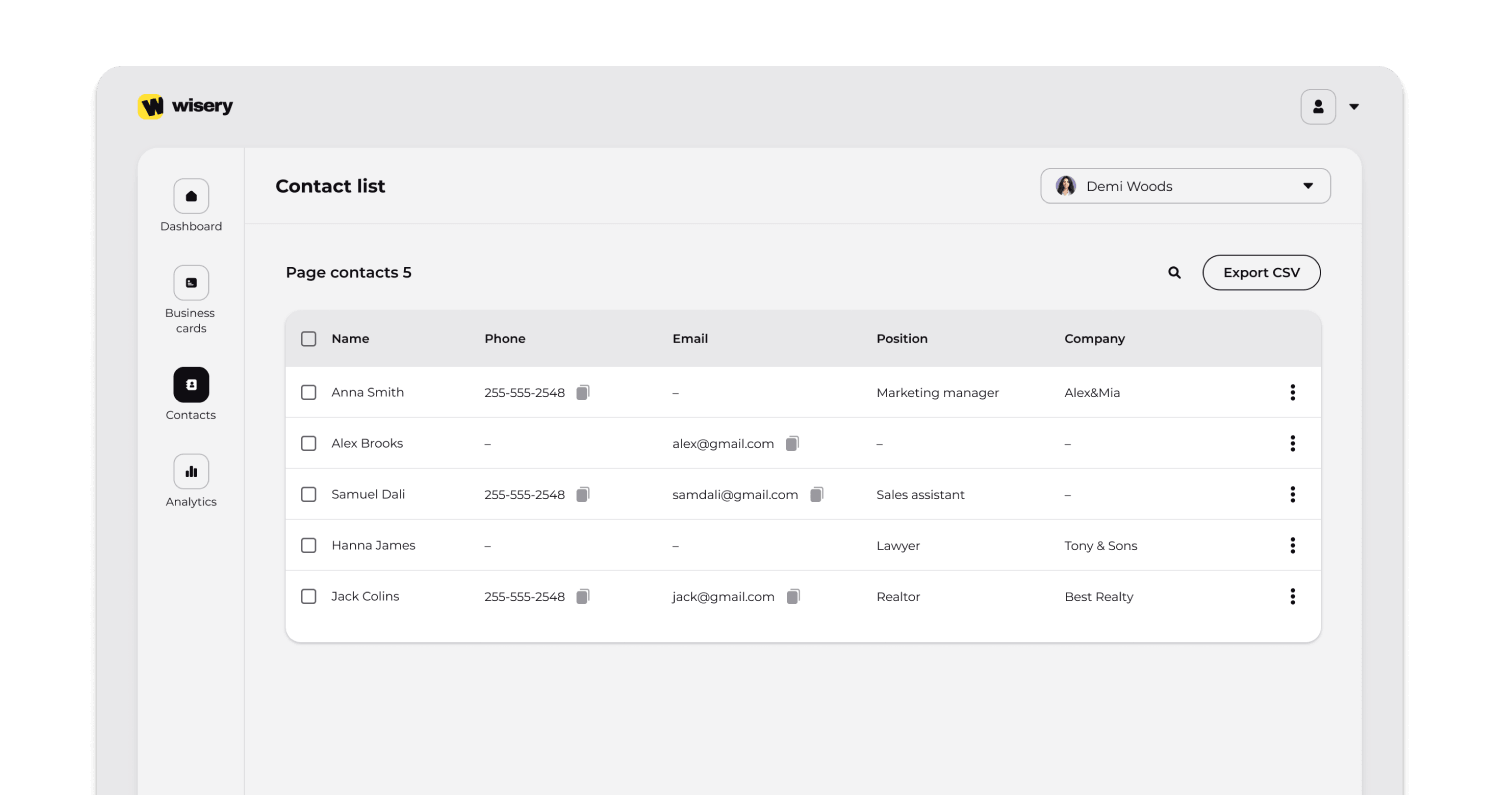
This integration turns simple card sharing into a structured lead generation system. It also helps companies leverage networking data to improve conversion rates and align sales efforts with real user behavior.
Frequently Asked Questions
How can I prevent employees from sharing outdated versions of their digital cards?
By using centralized updates in a digital system, all changes are applied instantly, ensuring every card always reflects the latest contact information and role updates.
Is it possible to limit which social media links employees add to their cards?
Yes. Administrators can control which fields are editable, allowing or restricting social media links depending on company policy.
What happens to a digital business card when an employee leaves the company?
The card is deactivated or deleted from the system dashboard, ensuring it is no longer accessible or associated with the company account.
Can I monitor individual employee performance through their digital cards?
Yes. Analytics dashboards allow tracking of interactions, scans, and activity for each employee’s card separately.
How do I deploy digital business cards to thousands of employees simultaneously?
Start with a single template, then duplicate it to create each employee card and fill in individual details like role and contact information. Review each card and send it to the employee via a shareable link by email.