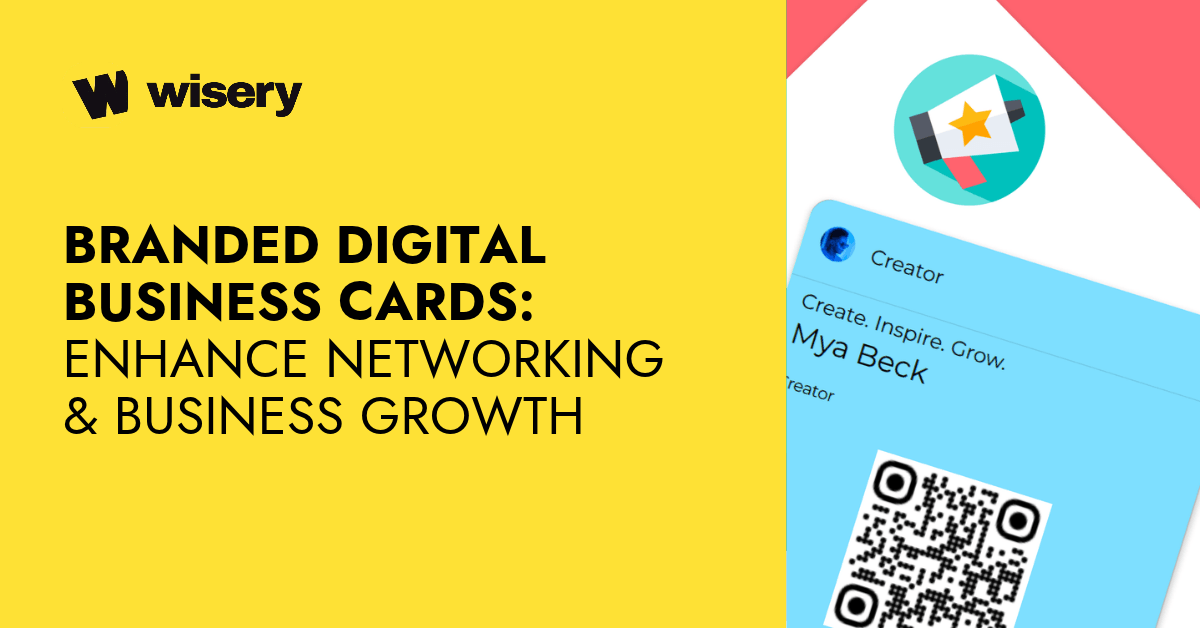
A branded digital business card is a shareable online contact profile customized with a company’s logo, colors, and visual identity. It allows professionals to share contact details, websites, social profiles, and business links through a QR code, an NFC card, or a URL. Unlike printed cards, the online profile can be updated without reprinting, making it useful for networking, brand consistency, and business communication.
Somewhere between the handshake and the follow-up email, most professional connections quietly die. Not because people aren’t interested. It happens when the contact exchange goes wrong: a lost card, a number typed in a hurry with one digit off, a name that doesn’t ring a bell two weeks later. The mechanics of networking have always been more fragile than we pretend.
A branded digital card doesn’t solve bad conversation. But it does solve the part that comes after it: making sure the right person has your correct details, can find your work with a single tap, and sees something that actually looks like your business – not a generic template with your name on it.
This article breaks down what separates a real branded digital card from a glorified contact page, how to design one that works, and how to get actual mileage out of it once it’s built.
Branded Digital Business Card
At its core, a branded digital card is a contact page that belongs to you: name, role, logo, links, accessible via QR code, NFC tap, or a simple URL. That’s the functional part. What makes it different from a glorified vCard is that it stays current – it’s dynamic. Update your details once, and every person who’s ever received your link automatically has the new version in real time.
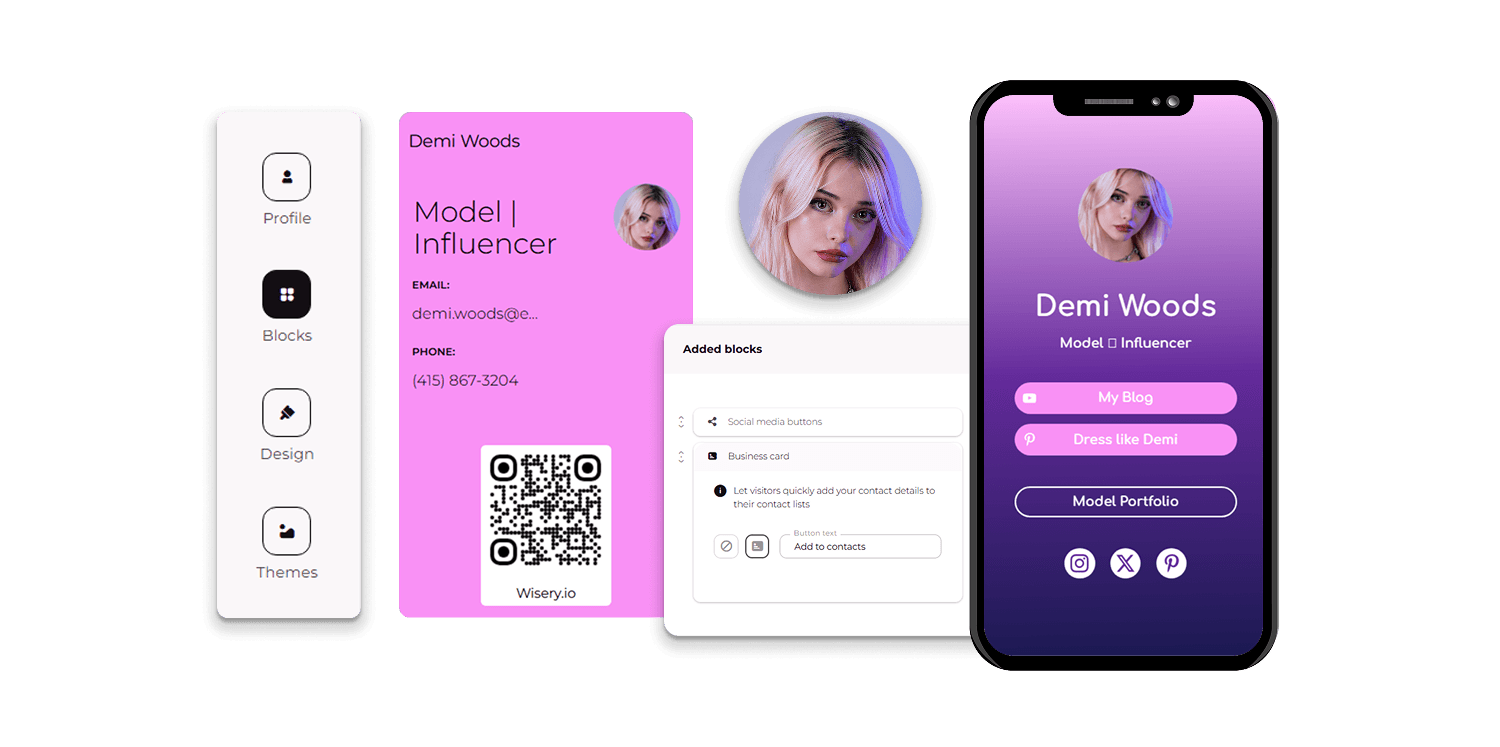
The “branded” piece is worth taking seriously. Many apps will generate a virtual business card in minutes, and most look exactly like everyone else’s. A genuinely branded card is visually tied to your actual business: same color palette as your website, your logo positioned like you mean it, the same overall feel as your LinkedIn or your email signature.
When someone moves from your card to your website, it should feel like one coherent thing, not two separate efforts from two different eras of your company. For individuals, that coherence builds brand recognition. For teams, it’s how you make sure a company with fifty people in the field is presenting one consistent identity.
Why Choose a Branded Digital Card Over Traditional Business Cards?
Ten billion. That’s roughly how many paper business cards the printing industry puts out every year. Most of them end up in the trash within days. Someone takes your card, makes it through the polite part of the interaction, and then it goes in the recycling when they’re cleaning their desk Thursday afternoon. Before they even get thrown away, they’re already a problem.
A printed card is a snapshot – locked to whatever was true about you on the day it went to print. Three weeks later you get promoted, or move to a new office, or finally stop using that Gmail address you created in college. The cards are already out there with the old information, and the only fix is a new print run, fresh distribution, and hoping the right people eventually end up with the right version.
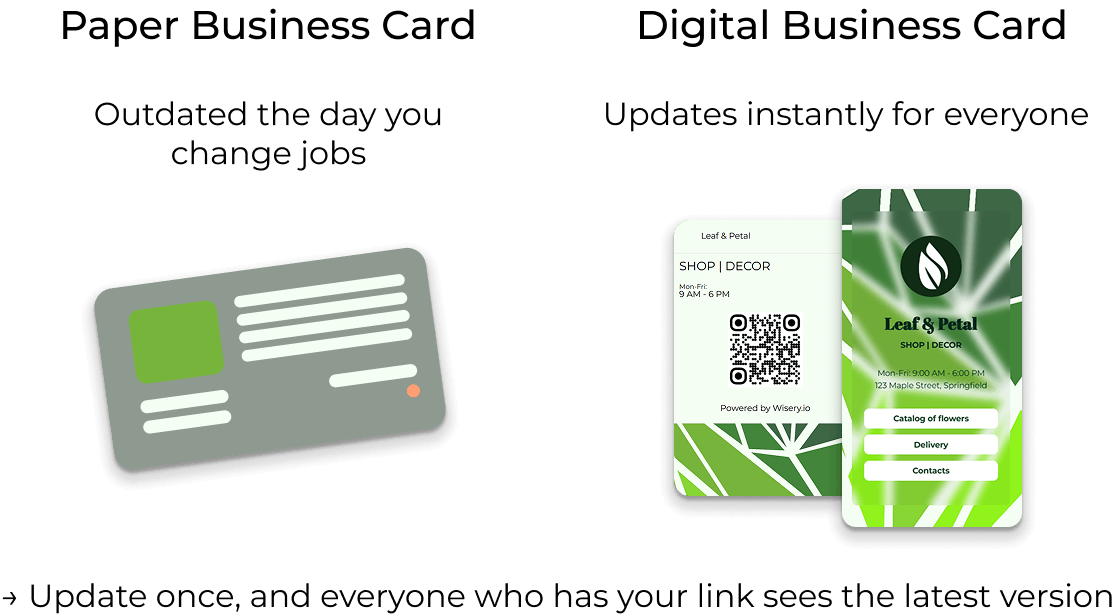
Receiving paper cards isn’t much easier. Someone has to take it, hold onto it, and remember who you were when they stumble across it a month later. Then they have to actually do something about it. Any one of those steps can fall apart, and usually at least one does. Digital removes most of that chain.
A new acquaintance taps your NFC card or scans your QR code; your details are on their phone instantly, and your links are right there. Update your information once, and it’s current for everyone who has your link – the person you met at a conference in March, the client you shared it with via email last week, all of them.
Feature | Branded digital card | Traditional business card |
Contact updates | Editable online profile | Requires reprinting |
Sharing methods | QR code, NFC, URL, digital wallet | Physical exchange |
Brand customization | Logo, colors, links, CTA | Printed design |
Analytics | Available on some platforms | Not built in |
CRM connection | Platform-dependent | Requires separate processes |
Physical interaction | Optional NFC card | Required |
And there’s the impression a branded digital card makes before you’ve exchanged a single word. It signals that you’ve thought about this, that what you hand someone matches who you actually are professionally. A paper card with a bent corner and yesterday’s title doesn’t do that. For more on this, see our full breakdown of the benefits of digital business cards.
What Makes a Digital Business Card “Branded”?
The word gets used loosely. Plenty of tools will call their output a “branded” card after you’ve uploaded a headshot and typed in your job title. That’s not branding, but a form with your name in it. Real branding means the card is recognizable as yours before anyone reads a single word.
Logo, colors, the specific way your company uses typography – all of it consistent with everything else you put out. The person who got your card last week and then lands on your website today shouldn’t have to connect the dots. That visual consistency matters more than it might seem. It makes your business look intentional and competent.
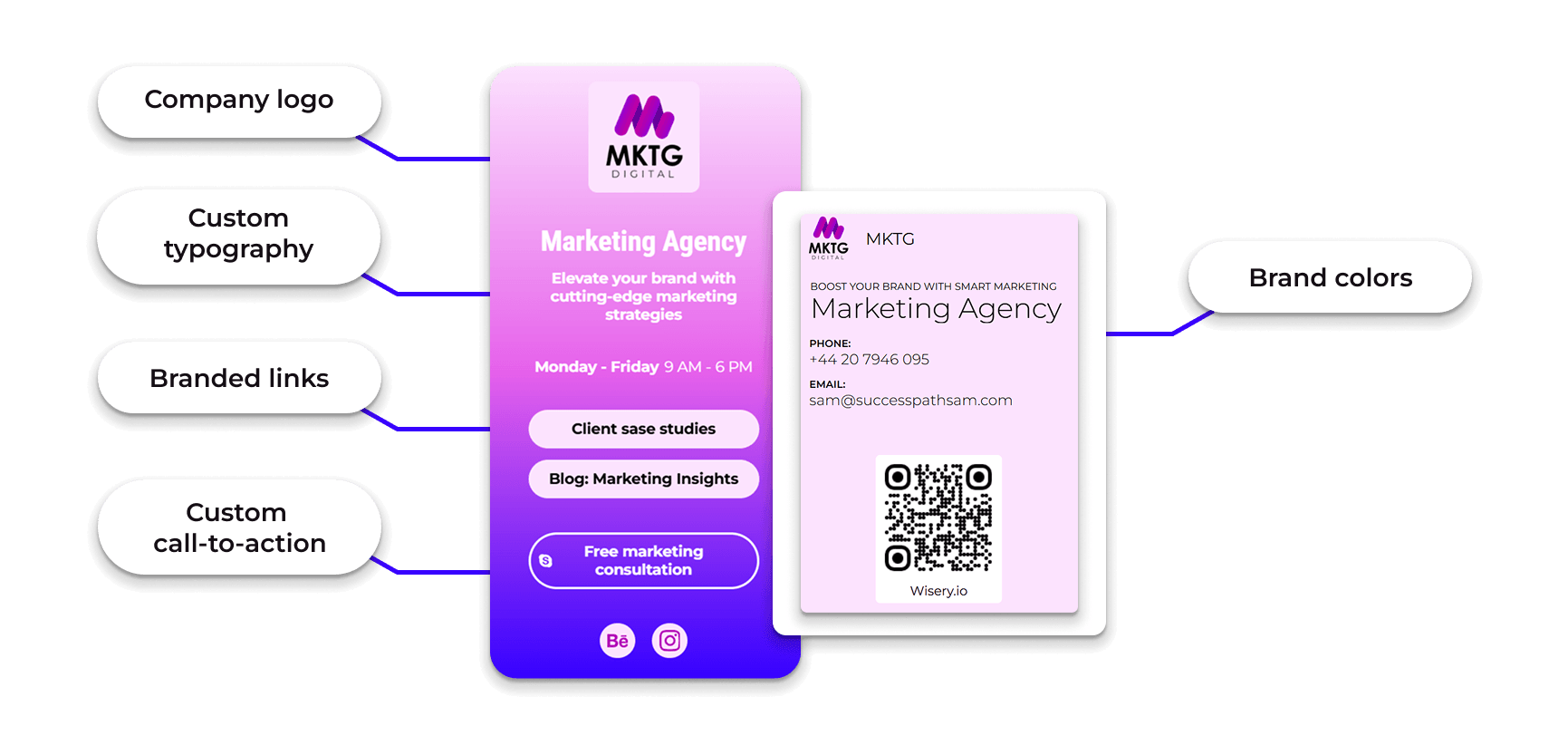
When your branded materials look slightly different, whether it’s the shade of a color, the version of a logo, or a font that doesn’t quite fit, it creates a subtle sense of disorder that people notice, even if they can’t describe it precisely. Beyond its appearance, a branded digital business card should include essential functional elements: direct links to your actual social media profiles, a QR code that works reliably in any lighting, and contact information that leads to real points of contact.
These are the main branding elements a card should support:
Branding element | Purpose |
Company logo | Helps identify the company |
Brand colors | Maintains visual consistency |
Custom typography | Aligns with brand guidelines |
Branded links | Directs visitors to relevant business pages |
Professional photos | Helps recipients recognize employees after a meeting |
Custom call-to-action | Encourages bookings, inquiries, or website visits |
For example, Wisery allows teams to manage business cards with consistent branding, so the card your newest sales rep shares at a conference follows the same visual identity as the one your CEO sent out last quarter. That kind of consistency doesn’t happen by accident, and it falls apart when everyone builds their own card from scratch. Here’s how to control the way employees share digital business cards.
How Custom Digital Cards Boost Networking and Drive Business Growth
Most professional introductions don’t fail during the conversation itself. They fall through within ten minutes afterwards, when the other person tries to remember your last name, finds the business card you gave them but can’t match it to your face, or never finds the time to follow up because the moment has passed.
This is where a branded digital business card makes a real difference: it helps turn a brief introduction into a lasting professional connection. The contact exchange takes seconds: they scan, your details land on their phone, and your links are right there when they need them.
But the part people don’t expect is the feedback. Open rates, link clicks, when someone actually looked at your card after you sent it. Say you met thirty people at a trade show and shared your card with all of them. Two weeks later, you can see that twenty-one opened it, but almost nobody clicked through to your portfolio. That’s a signal that something about the offer isn’t landing for that audience, and you can do something about it. If that kind of insight matters to you, compare the best digital business card apps with contact tracking.
Nobody who’s ever handed out paper cards has had that option. For companies with field teams (sales, business development, account management), the consistency question matters at a different level. When all team members use identical branded business cards, every customer interaction reinforces a consistent impression of the same company.
New contacts can be added to your CRM automatically, rather than staying on someone’s phone until someone finds time to enter them manually, which often never happens. This is the difference between exchanging contact information as a personal habit and turning it into a process that feeds your sales pipeline. With Wisery, contact sharing works both ways: people who view your card can send their info back, and new contacts land in a dashboard where you can review, organize, and export them, so your team can follow up efficiently.
How to Design a Branded Digital Card That Stands Out
Here’s a short process to create a branded digital business card:
- Choose a digital business card platform.
- Add your professional contact details and office address.
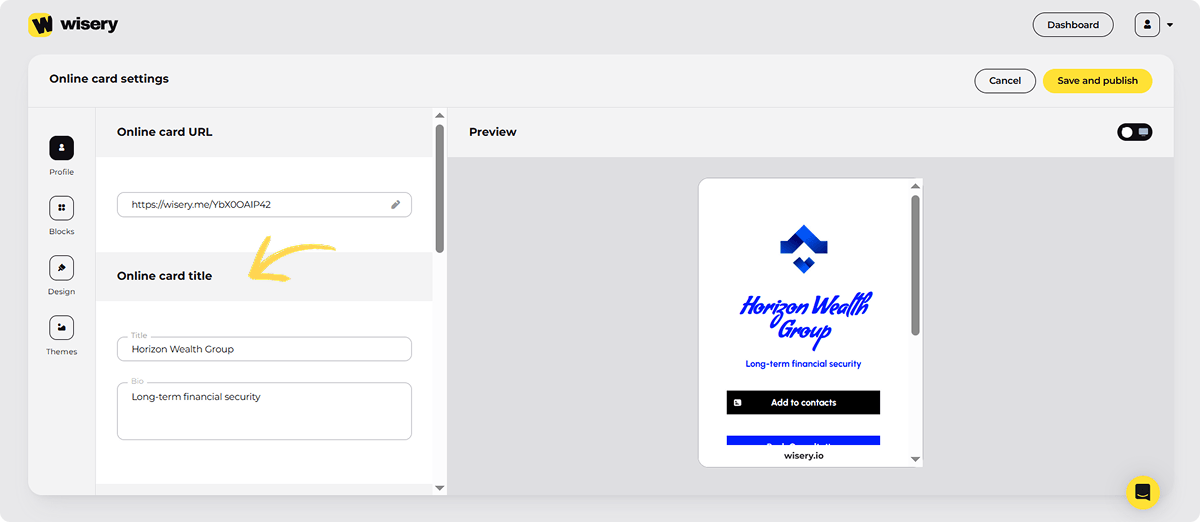
- Apply your company’s logo, colors, and typography.
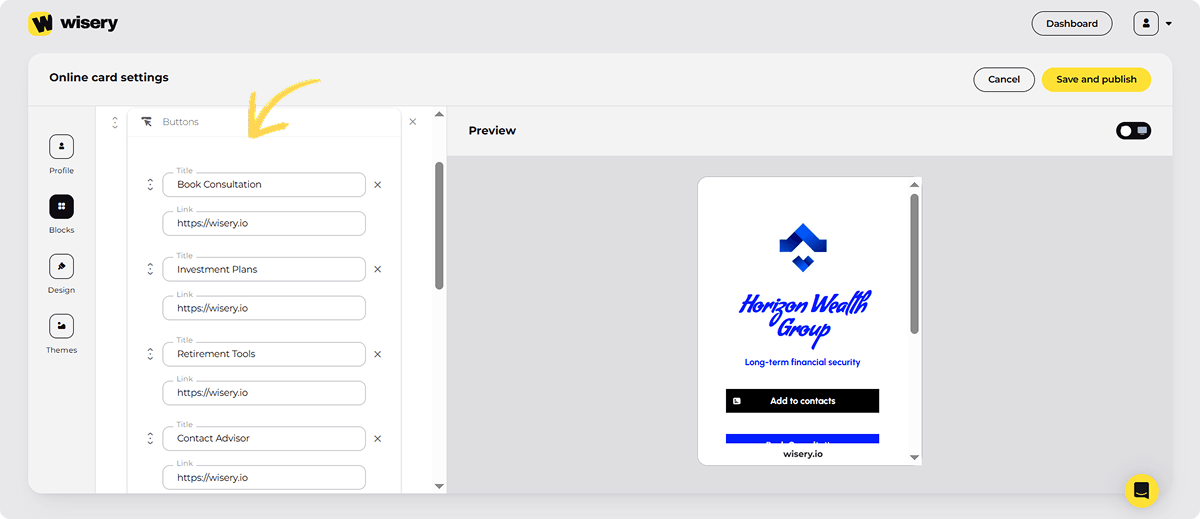
- Include relevant business links and one primary CTA.
- Configure your sharing options: QR code, link, wallet pass, or NFC.
- Test the card on different devices to ensure everything works.
- Update the profile as your business information changes.
For example, a branded Wisery card shows the company logo and banner at the top, followed by a photo, name, and role, a highlighted CTA button such as “Book a call,” contact links, social icons, and a QR code. You can start from professional designs on the free plan, and Pro makes the card fully customizable: your own logo, banner, and background, with Wisery branding removed.
Most people instinctively fill the card. Logo, photo, title, five social links, phone, email, website, tagline – everything. The result is a card where the eye doesn’t know where to land, so it lands nowhere. Start with what you actually want someone to do after they receive it. Book a call? That link goes front and center, not buried below three social icons nobody’s going to click.
See your work? Link directly to the portfolio page, not the homepage where they’ll have to figure out the navigation themselves. Pick one action and make it impossible to miss. Logo and brand colors do most of the visual work before anyone reads a single word. They need to match what you use everywhere else.
Color inconsistency is one of those things people register as sloppiness. Your QR code deserves more attention than it usually gets. Most platforms generate one automatically, and most people never look at it again.
Test it: scan it in a dim room, printed small, against a dark background. QR codes fail in specific, predictable conditions. Better to find out during setup than while standing at a conference trying to share your card with someone.
If you’re using a physical NFC card alongside the digital one, the two need to feel like they belong to the same brand, including palette, logo, and general visual logic. Someone taps the physical card and lands on the digital one. That transition should feel continuous. Not like they accidentally ended up somewhere else. Many providers offer printing options for custom NFC cards, while Wisery works without an NFC card at all – sharing runs through the QR code, link, and wallet pass.
Maximizing the Impact of Your Personalized Digital Contact Card
Most people set up their digital card, and then use it about as often as they used their paper cards. The card is only as useful as how often you show it. Your email signature is probably the most overlooked placement. Think about how many emails you send in a week – fifty? A hundred?
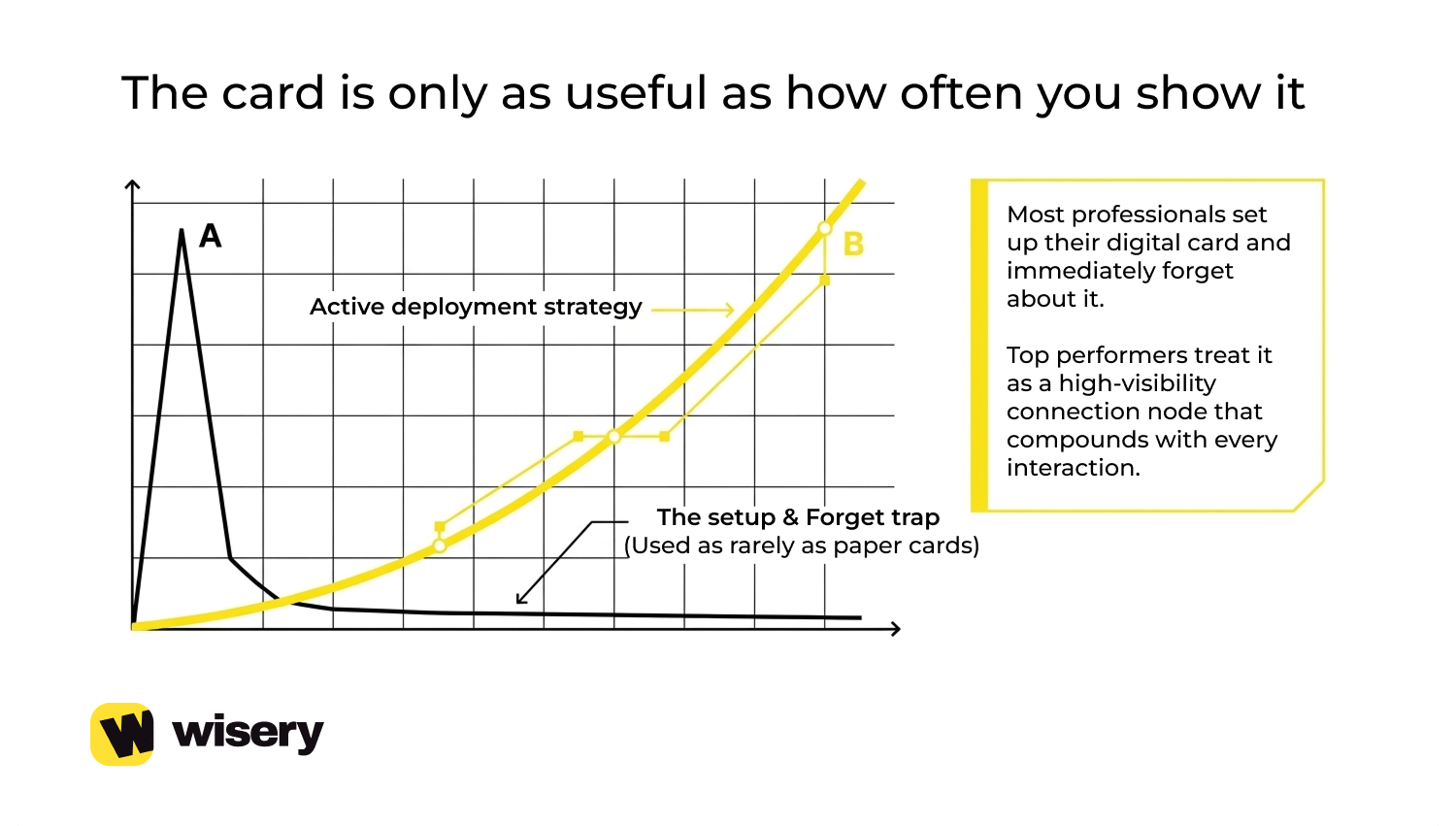
Each of those is already in front of someone who’s engaged enough to be in a conversation with you. A link to your personalized digital contact card in your signature, whether you use Gmail or Microsoft Outlook, costs you nothing and puts your full professional profile in front of every one of those people. You don’t have to ask them to look at it. It’s just there when they want it.
Add it to your LinkedIn profile. Add it to your social media profiles. Include it in the “Website” field wherever possible. People visit these platforms to learn more about you, and a digital business card gives them everything they need in one place. Every placement adds brand visibility, and because the card is a link, it makes it easy to share your details in any chat. Making it a habit to update your Wisery profile whenever there are changes in your professional life is well worth it.
New job? Update your profile on your first day. New service offering? Add a link to it within a week. Most people view their digital business card as something you set up once and forget about. Those who get the most out of it, however, see it as a profile page that reflects their current situation rather than where they were at the time of registration.
If you attend conferences, networking events, or any other places where you meet more than a few new people in a day, pay attention to CRM integrations. Many digital business card platforms integrate with Salesforce, HubSpot, and similar CRM tools, helping teams streamline contact management and follow-ups. New contacts you collect feed directly into your pipeline.
The Future of Branded Digital Cards
NFC has been sitting in phones for years, mostly used for contactless payments and largely ignored for everything else. What’s changing is familiarity. More people have now tapped a card or a badge and watched something happen on their screen. Once you’ve had that experience, going back to “can you scan this QR code?” feels like a step backward.
The adoption curve is steep right now, and organizations that build NFC into how they share contacts are ahead of where most of their competitors still are. To understand how NFC business cards compare with QR codes, see our complete guide to digital business card technology. Wallet integration is quietly becoming the thing that makes digital cards actually stick around. In Apple Wallet and Google Wallet, people keep boarding passes, loyalty cards, and anything they need to find.
A branded digital card stored there has a different kind of presence than a link buried in an old text thread. On the enterprise side, the conversation has shifted. Companies used to wonder whether it was worth implementing a digital card system. Now the questions are about SOC 2 Type II compliance, role-based access controls, admin permissions, and how analytics data integrates with existing reporting.
It means the category has matured to the point where IT and legal are in the room, not just marketing. For example, Wisery offers business card management solutions for teams looking to maintain consistent branding and keep contact information up to date. The goal is to make exchanging contact information the beginning of an ongoing connection. Digital business cards are moving in that direction, with automatic updates, relevant contact details, and integration into the tools teams already use – a smarter setup that can scale from one person to teams worldwide.
Frequently Asked Questions
How Does a Branded Digital Card Help to Build Trust With Potential Clients?
Trust in the first interaction depends largely on how consistent your signals are. When your digital business card clearly matches your website, email, and LinkedIn profile, the recipient doesn’t have to reconcile two different versions of your professional identity, and consistency is perceived as reliability. Easy access to your landing page, social media, and services strengthens your brand presence and makes it easier for potential clients to decide whether to work with you.
What Platforms Support Branded Digital Cards?
If someone has a smartphone released within the last five years, your card will work on their device. Apple Wallet and Google Wallet natively support digital cards, so the card can live in the same app as the user’s boarding passes or transit passes, somewhere they check regularly.
Aside from wallet apps, a digital card is essentially a URL. This means it can be sent just as easily via text message, email, LinkedIn, WhatsApp, or Slack. The recipient doesn’t need to install any apps. They click the link, the card opens in their browser, and they can save your contact or visit your website.
NFC data exchange works on most modern Android and iPhone models. Simply tap the physical card against the phone to get started. At the team and enterprise levels, most major platforms also integrate with CRM systems, such as Salesforce, HubSpot, and similar tools, so contacts collected via a business card go straight into your lead pipeline.
Can a Branded Digital Card Help Me Grow My Network?
The card itself doesn’t grow your network – you do. The card removes the friction that quietly kills connections before they go anywhere: the exchange takes seconds, the details land correctly, and your links are right there when people want them. Depending on the platform, you can also see when someone opens your card and which links they click. Instead of sending the same message to everyone you met last week, you can start with those who’ve already been back to your card twice – a meaningful opportunity most people miss.
Are Branded Digital Business Cards Secure?
They can be as secure as you set them up to be. You decide exactly which details are public – many people show a work email and booking link but leave out a personal phone number. Before choosing a provider, check how it stores the contacts you collect and who on your team can access them; larger companies usually also ask for compliance documentation and permission controls.
Are Branded Digital Business Cards Suitable for Small Businesses?
Yes, and small businesses often benefit most. One card per person replaces repeated print runs, and changes to services, phone numbers, or opening hours take minutes instead of a reorder. Wisery is priced per seat, so a three-person team pays for three cards, not an enterprise package.
Can I Add My Company Logo and Brand Colors to a Digital Business Card?
Yes. On most platforms, that’s the core of a branded card. With Wisery Pro, you can upload your logo and a banner image, change the background color, and remove Wisery branding, so the card looks like part of your own website rather than a third-party template.
What Are the Benefits of Branded Digital Business Cards for Companies?
The main ones are control and consistency. Every employee shares a card that matches company guidelines, contact details stay accurate when people change roles, and new leads are collected in one account instead of scattered across phones. Companies also cut recurring print costs and get a clear record of who met whom.
How Much Do Branded Digital Business Cards Cost?
Prices usually range from free to $10+ per user per month. Wisery has a free version with a basic card and QR code; branding features are in Wisery Pro, which costs $5.99 per seat per month with monthly billing or $2.99 per seat per month billed annually.