- A digital business card is an online, always-editable version of a traditional paper card.
- You can share it by QR code, link, NFC tap, email signature, Apple Wallet, or Google Wallet.
- Recipients don’t need a special app to view your card. It opens in any smartphone browser.
- The main advantages over paper are instant updates, unlimited sharing, clickable links, analytics, and central team management.
- When choosing a platform, compare sharing methods, privacy controls, branding, analytics, CRM integrations, team features, and pricing.
What Is a Digital Business Card?
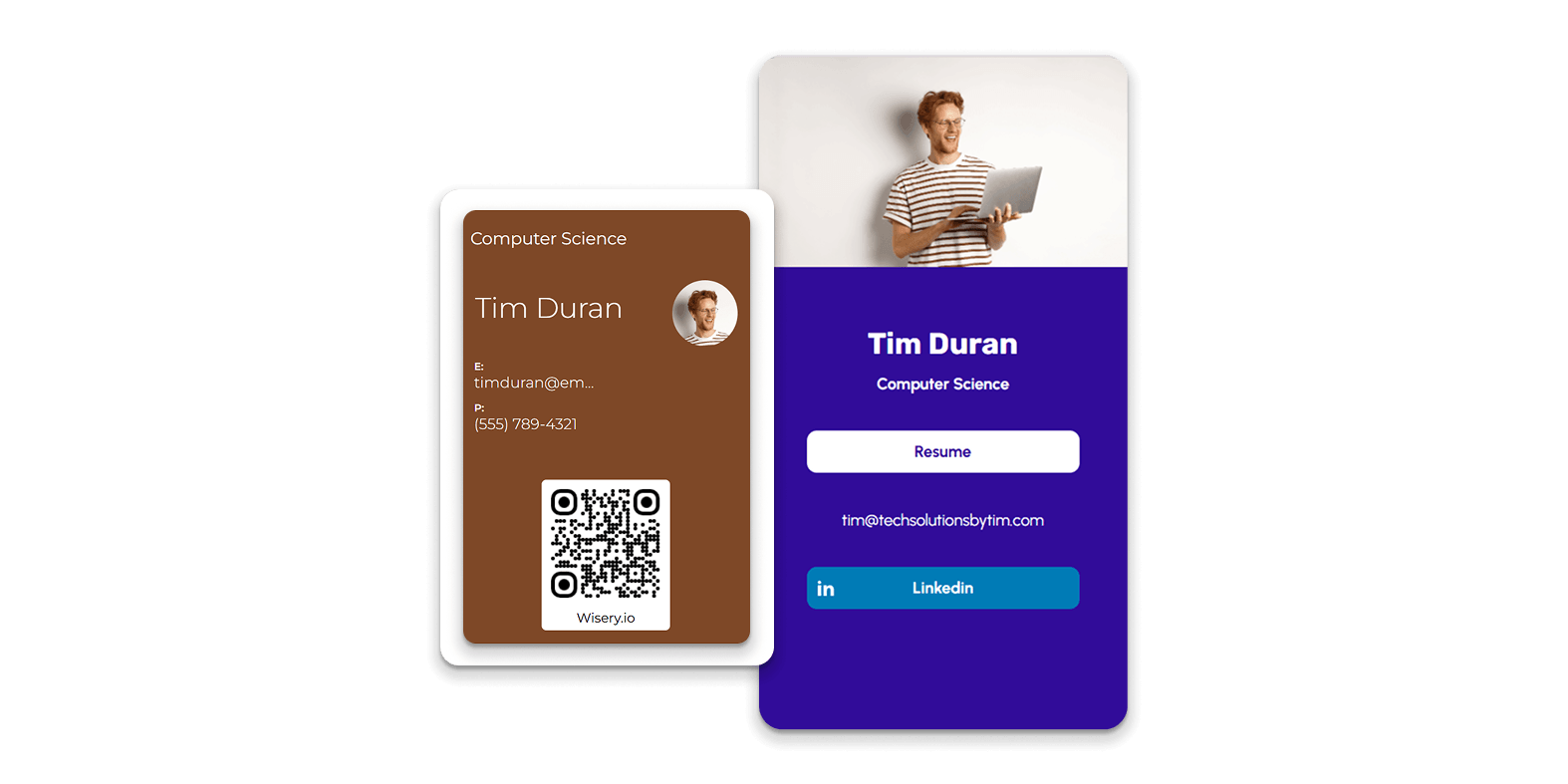
- Full name, job title, and company name
- Phone number and email address
- Profile photo and company logo
- Website and office address
- Social links (LinkedIn, Instagram, X, etc.)
- Extra content such as a portfolio, video, presentation, booking link, or downloadable files
The most important difference from paper is that the card is dynamic. When you change your phone number, job title, or links, the card updates everywhere it was shared. Nobody ends up with outdated information, and you never have to reprint anything.
Digital vs. Virtual vs. Electronic Business Card: Is There a Difference?
- Digital business card is the broadest and most common term. It covers any card created, stored, and shared electronically.
- Virtual business card usually refers to a card designed for online sharing, such as a profile link sent by email, messenger, or social media. It is especially useful for remote meetings.
- Electronic business cards often come in specific formats, such as a vCard (.vcf) file, a standard contact card format you can import directly into an address book. Learn more in our guide on what a vCard is.
For most people, the label doesn’t matter. What matters is how you share the card and how easy it is for the recipient to save your information.
How Does a Digital Business Card Work?
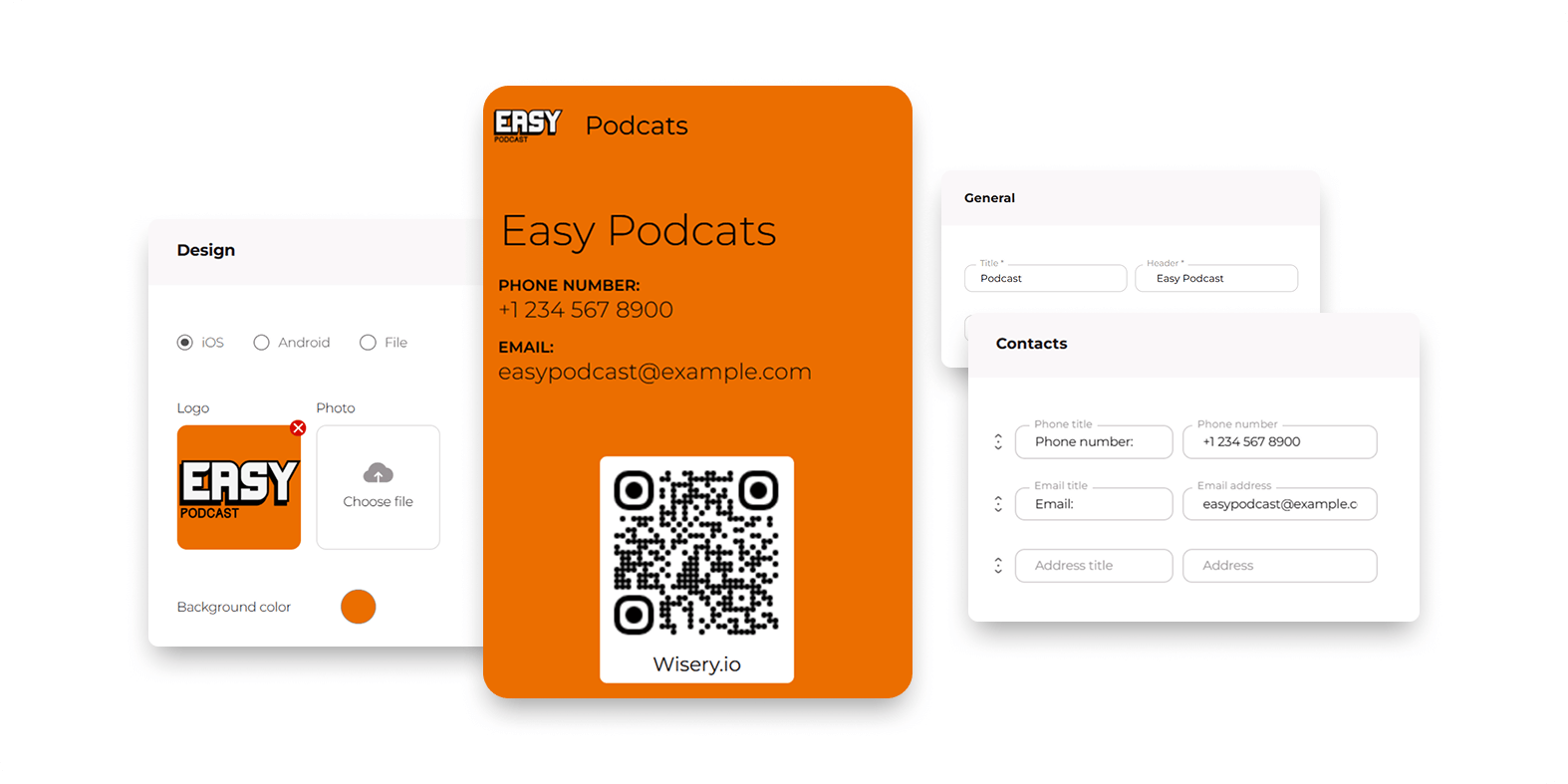
- You create a profile on a digital business card platform and fill in your information, links, and branding.
- The platform generates a unique link to your card, along with a QR code and other sharing options.
- You share the card in person or online, using whichever method fits the situation.
- The recipient opens the card in their phone’s browser and can save your details to their contacts with one tap, usually as a vCard file.
Most platforms use dynamic links and dynamic QR codes. This means the link or code always points to the latest version of your card. If you update your information tomorrow, everyone who scans your code or opens your link will see the new details. That includes people who received it months ago.
- The card doesn’t disappear. If you shared it by link, text, or email, it stays in the recipient’s messages or inbox, and they can open it and add the card to their contacts whenever it’s convenient.
- You can collect their details instead. Many platforms, including Wisery, let the recipient leave their own name, email, or phone number on your card in a few seconds. Their details go straight to your dashboard, so you can follow up even if they never saved yours.
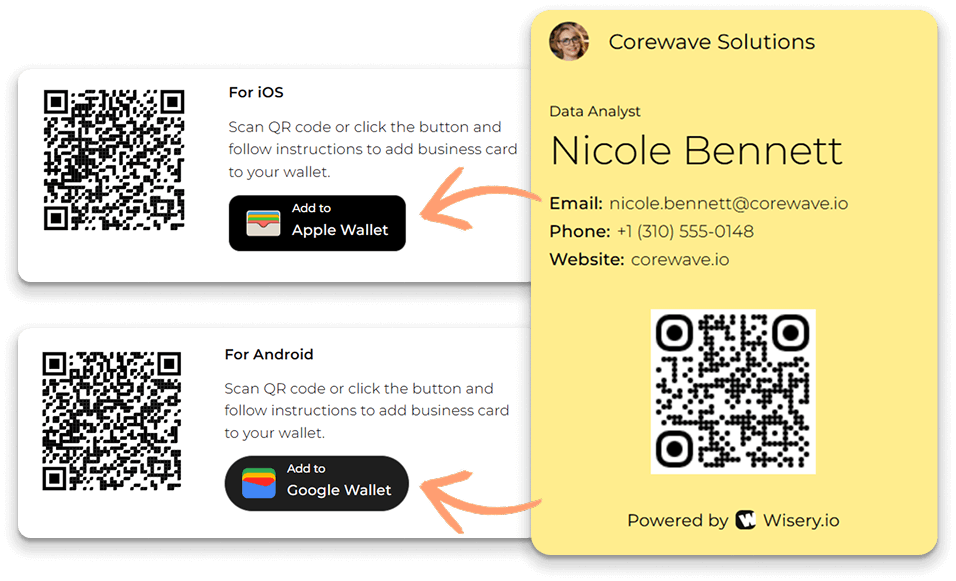
- Your card works even with poor connectivity. If your card is stored in Apple Wallet or Google Wallet, your QR code is always ready on your phone, even when the venue Wi-Fi isn’t.
Ways to Share a Digital Business Card
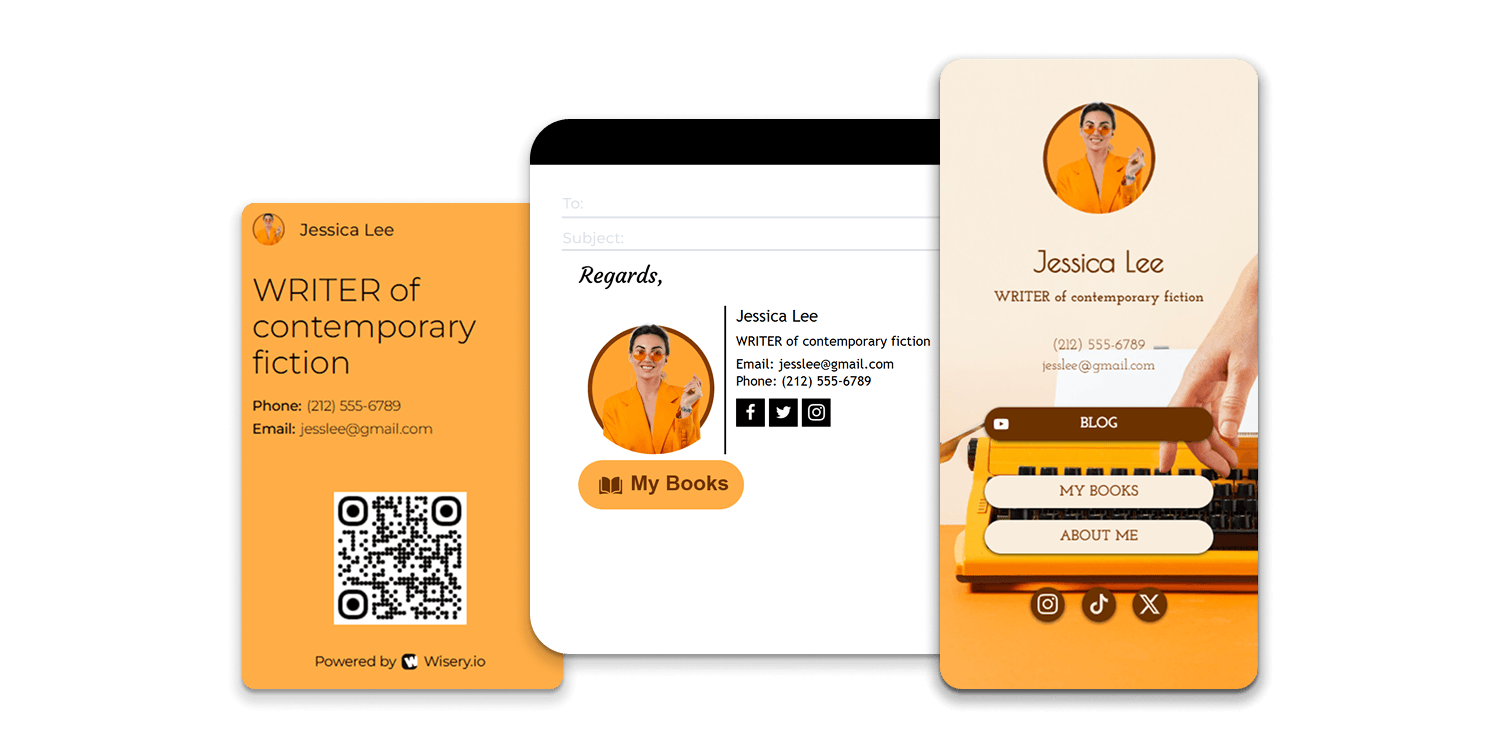
- Via a QR code. The other person points their phone camera at your QR code, and your card opens. You can show the code on your phone screen, or add a QR code to a badge, flyer, presentation slide, or printed card.
- Direct link. Send the link by text message, email, WhatsApp, LinkedIn, or any messenger. This is the easiest way to share your contact details after remote meetings and calls.
- NFC tap. With an NFC-enabled card, sticker, or tag, the other person taps it with their smartphone and your card opens instantly. It’s a fully contactless exchange that feels as natural as handing over a paper card.
- Apple Wallet or Google Wallet. Save your card to your phone’s wallet so the QR code is always one swipe away, without opening a browser or an app.
- Email signature and social profiles. Add a link or QR code to your email signature, LinkedIn profile, or website so people can save your details whenever they need them. See our guide on how to add a digital business card to your Gmail signature.
Digital vs. Paper Business Cards
| Criteria | Digital Card | Paper Card |
| Updating information | Edit anytime. Changes apply instantly everywhere. | Requires designing and reprinting a new batch |
| Sharing | QR code, link, NFC, wallet; in person or remotely | In person only; you can run out of cards |
| Saving contacts | Recipient saves your details in one tap | Recipient types details manually, or the card gets lost |
| Analytics | Track views, scans and link clicks | No way to know if anyone looked at it |
| Links and multimedia | Website, social links, portfolio, video, files | Static text and logo only |
| Team management | Central admin panel, branded templates, instant edits for all employees | Separate print orders for every person and every change |
Types of Digital Business Cards
Link-Based (Web Profile) Cards
QR Code Business Cards
NFC Business Cards
Mobile Wallet Cards
vCard (Contact File) Cards
App-Based Cards
Benefits and Limitations
Benefits
- Always up to date. Change your title, phone number, or links once, and every shared card updates instantly.
- Lower costs. No reprinting when details change, a logo is refreshed, or someone joins the team.
- Unlimited sharing. You can’t run out of digital cards at a conference or trade show.
- Faster contact saving. Recipients save your details in one tap instead of typing them in by hand.
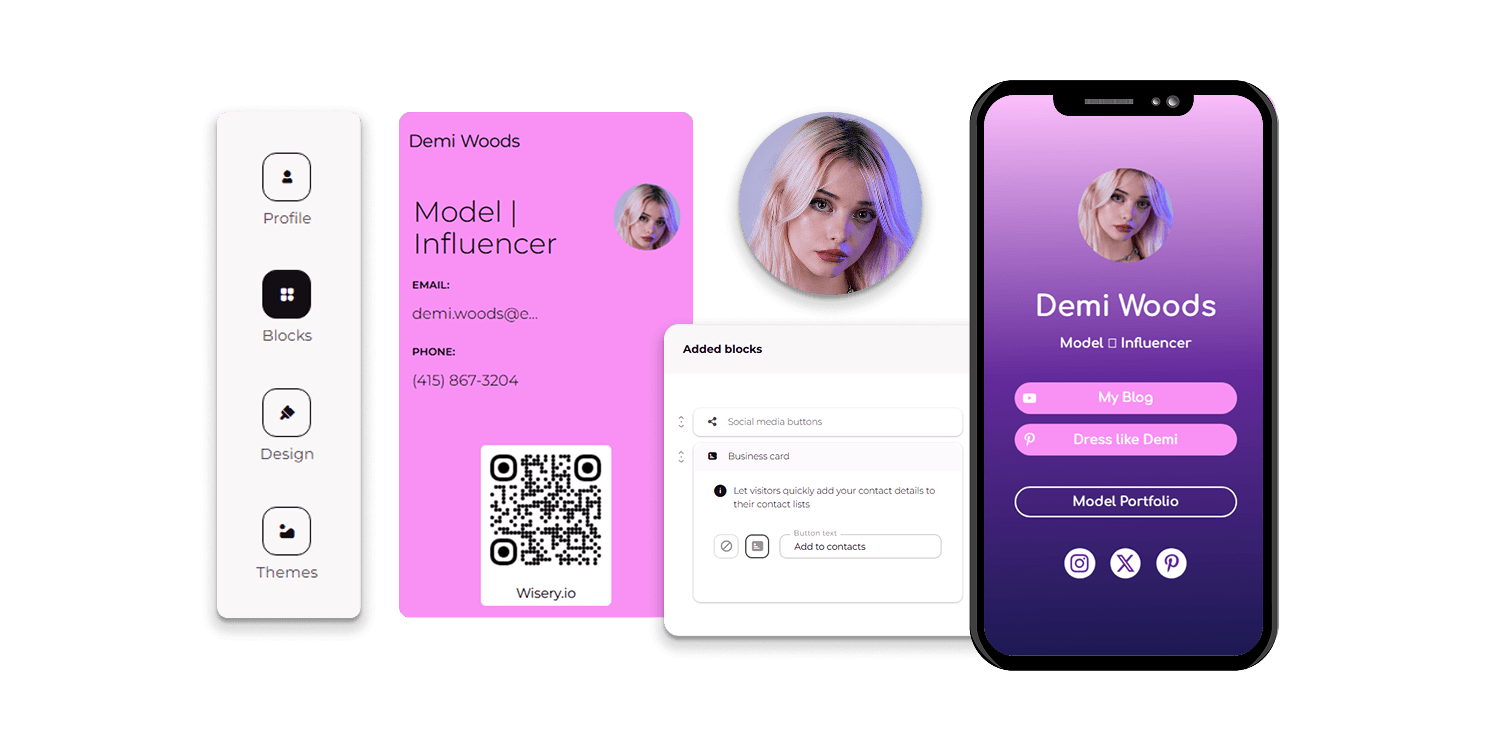
- More than contact details. Links, social profiles, portfolios, videos, and booking pages turn a card into a mini landing page.
- Measurable results. Analytics show how often people view your card and which links they click. Learn more about digital business cards with contact tracking.
- Works remotely. A link is as easy to share on a video call as a QR code is at an in-person meeting.
- Eco-friendly. Less paper, ink, and waste. Most printed cards are thrown away within days.
Limitations
- The recipient needs a smartphone or internet access to open the card. In most business settings, this isn’t a problem, but it’s worth keeping in mind.
- Not everyone is used to them yet. Some contacts may still expect a paper card, especially in traditional industries or certain countries.
- Platform dependency. Your card is hosted by a provider. If you stop paying for a plan or the service closes, the card may stop working, so choose a reliable vendor.
- Privacy considerations. A public link can be forwarded. Share only the information you’re comfortable with, and use platforms that let you control what’s visible.
Who Benefits Most?
- Sales and field sales teams, who meet many prospects and need to track follow-ups
- Realtors and recruiters, whose work depends on being easy to contact
- Entrepreneurs, freelancers and consultants who want to show a portfolio along with contact details
- Event and trade show attendees, who exchange dozens of contacts in a single day
- Small teams and large companies, which need consistent branding and easy updates for every employee
How to Choose a Digital Business Card
1. Sharing Methods
2. Editing and Updating
3. Security and Privacy
4. Branding
5. Analytics
6. CRM Integrations
7. Team Administration
8. Pricing
How to Create a Digital Business Card
- Choose a digital business card platform. Use the criteria above to pick a solution that fits your needs and budget.
- Add your contact and company details. Fill in your name, job title, company, phone, email, and address.
- Add links and branding. Upload your photo and logo, set your brand colors, and add links to your website, social profiles, and other content.
- Configure QR/NFC/wallet sharing. Download your QR code, connect an NFC card or tag if you use one, and add the card to Apple Wallet or Google Wallet.
- Test the card on mobile. Open it on different phones, scan the QR code, and check that all links work and that the contact saves correctly.
- Publish and share it. Start sharing your card in person, by link, and in your email signature.
Tips for Using Your Digital Business Card
- Keep it concise. Include what people actually need to contact you. Too much information makes the card harder to use.
- Use a professional photo and consistent branding to make a strong first impression.
- Keep your details up to date. Review your card regularly, especially after a job change or a new project.
- Share through several channels: a QR code at events, a link in emails and messengers, and a card in your email signature.
- Follow up. A shared card is only the first step. Reach out to new contacts while the conversation is still fresh.
- Track results. Use analytics to see what works and adjust your approach.
Final Thoughts
A digital business card gives you everything a paper card does, plus instant updates, unlimited sharing, clickable links and measurable results. Whether you’re an individual professional or managing a whole team, it’s a simple way to make every introduction easier to remember and act on. Choose a platform that fits your needs, set up your card in a few minutes and start sharing.
Ready to make the switch? Create your free digital business card with Wisery. Add your contacts, links and branding, save the card to Apple Wallet or Google Wallet, and share it via QR code or link in minutes. It’s the easiest way to use a digital business card at your very next meeting.

Frequently Asked Questions

Viktoriia is a Marketing Manager at Wisery. She drives the brand’s digital presence through strategic content creation. From crafting insightful articles to designing high-impact email campaigns, she ensures Wisery’s mission reaches a global audience. She loves how Wisery simplifies the contact routine for professionals. Viktoriia personally uses it at marketing conferences to turn quick introductions into lasting LinkedIn connections. Away from her desk, she recharges with a good book or her cats.